Seedream 5.5 AI Image Generator & Editor

Create images from text or edit with reference images using Seedream 5.5 on ZMS AI. Choose 1.5K or 2K and request 1–8 images at a time. Check the credit estimate before you generate.

Loading generator…

Seedream 5.5 image examples

See the prompts, settings, and images for four different briefs.

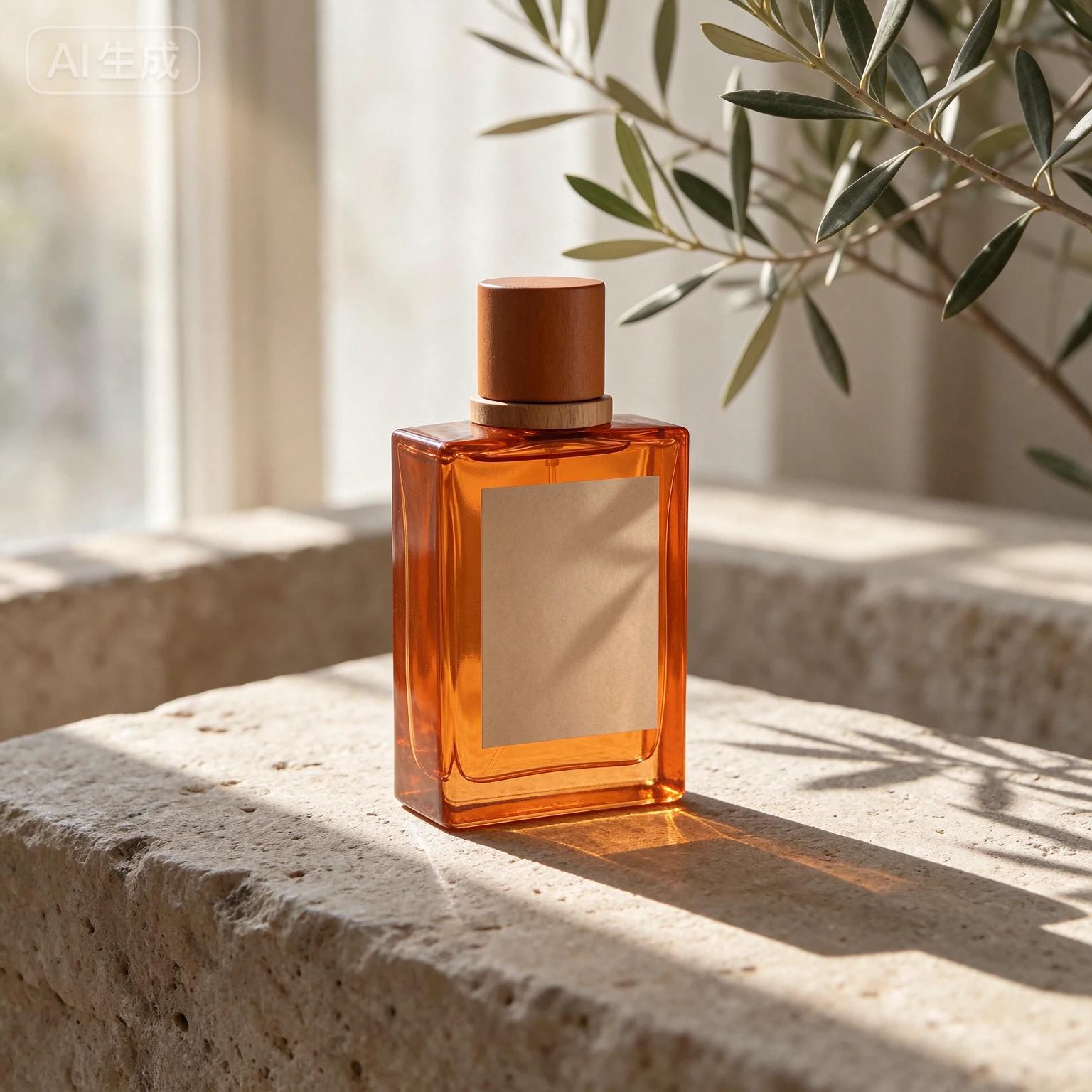
An amber glass perfume bottle on sunlit limestone beneath an olive branch
Seedream 5.5Text to image1.5K · 1:1

Amber perfume on limestone

Editorial product photography of a translucent amber perfume bottle with a blank ivory label on pale limestone, a single olive branch casting a soft diagonal shadow, warm morning window light, realistic glass refraction, controlled specular highlights, generous negative space, premium skincare campaign, no text or logos.
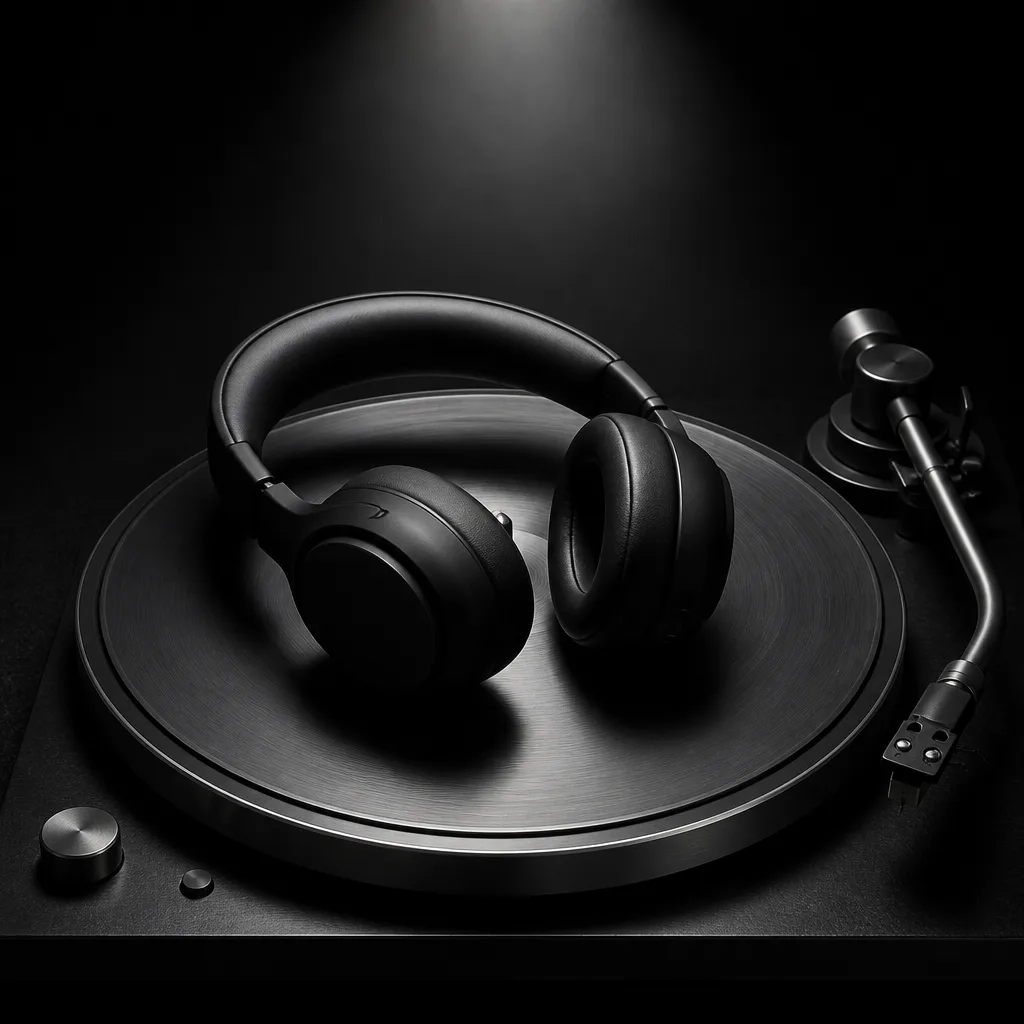
Black over-ear headphones resting on a turntable
Reference image
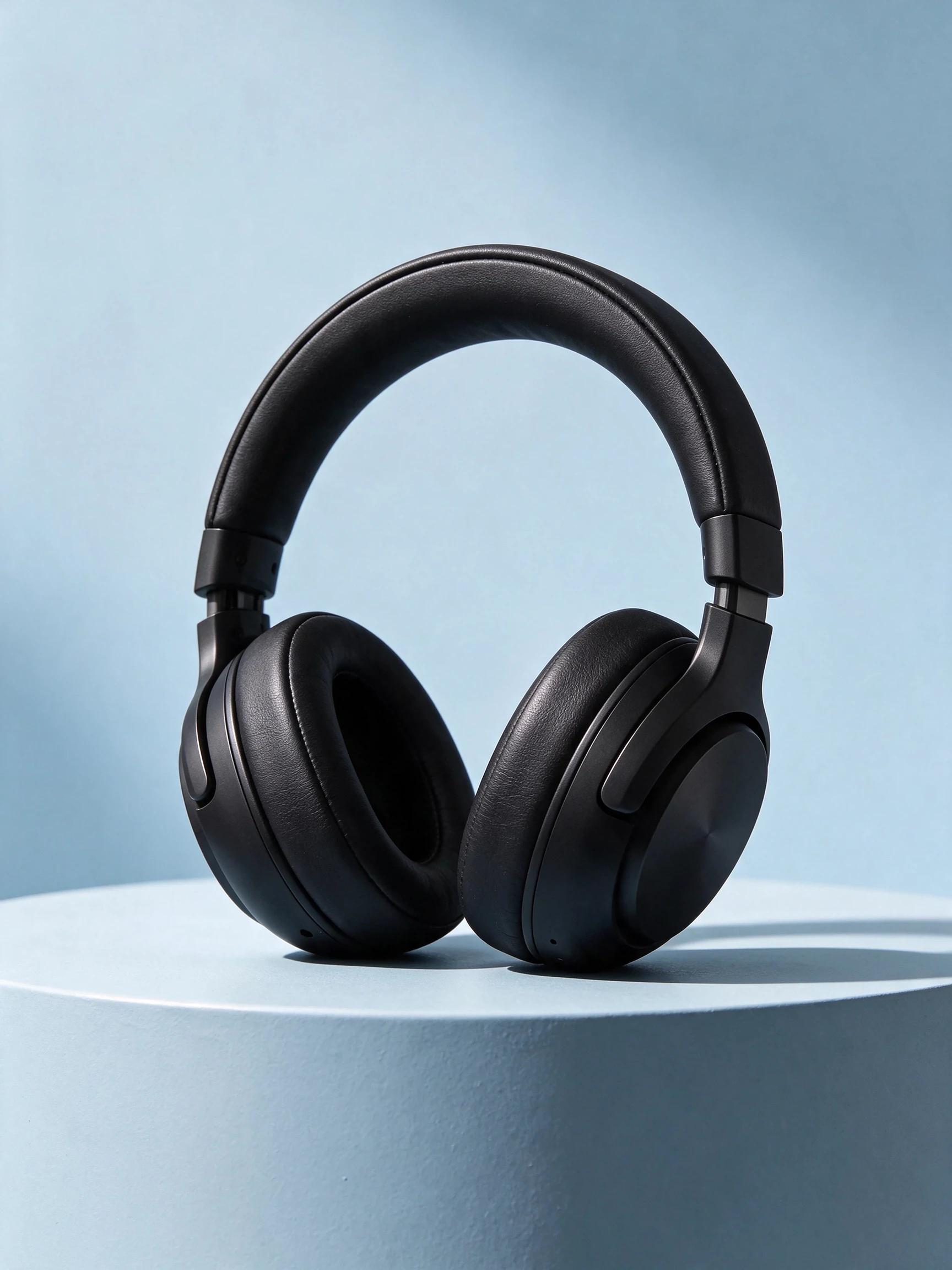
Black over-ear headphones standing on a curved pale blue plinth
Seedream 5.5 result
Seedream 5.5Image to image2K · 3:4

Headphones on a blue plinth

Keep the headphones' silhouette, ear cushions and materials from the reference. Place them upright on a pale blue curved studio plinth. Remove the turntable and any markings. Soft directional daylight, a crisp but gentle shadow, realistic black leather and brushed metal details, premium editorial product photograph, portrait composition with clean negative space above, no text or logos.

Upload your own reference image to try this prompt.

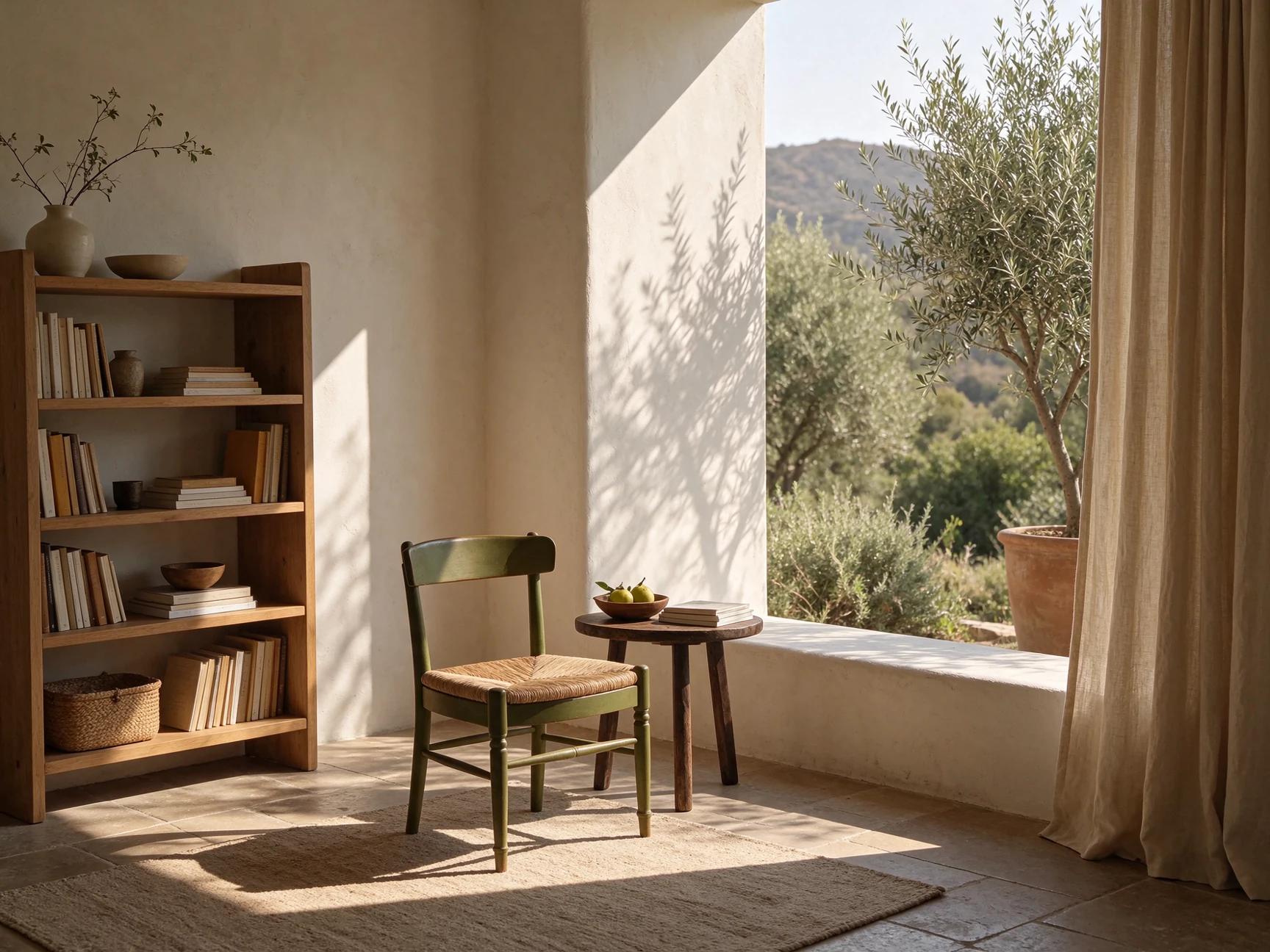
An olive-green chair beside a bookshelf and a sunlit open window
Seedream 5.5Text to image1.5K · 4:3

Sunlit reading nook

Editorial interior photograph of a sunlit reading nook, pale oak shelving, a low olive-green chair, textured linen curtains, and a soft late-afternoon shadow across warm plaster. Eye-level wide composition, natural proportions, no people, no text.

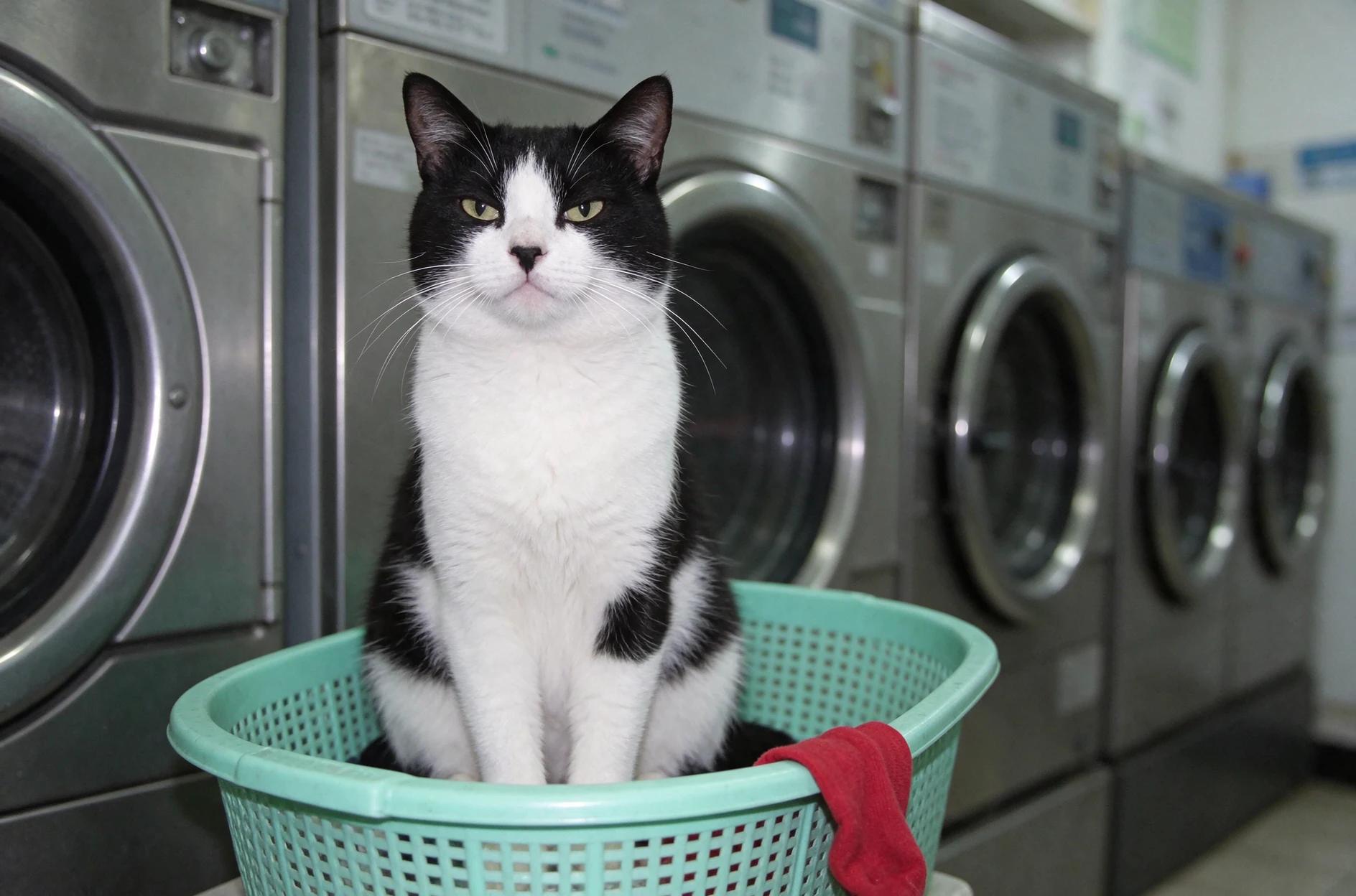
A tuxedo cat in a mint laundry basket with a red sock and washers behind it
Seedream 5.5Text to image1.5K · Auto

Laundromat cat

Direct-flash portrait at a 24-hour laundromat. One deadpan tuxedo cat sits upright in a mint plastic laundry basket, a single red sock draped over the edge. Behind it, stainless-steel washer doors recede in a clean grid. Eye-level wide-angle composition, cool fluorescent cast, subtle 35 mm grain, crisp fur, no readable signage.

What is Seedream 5.5?

On ZMS AI, add a reference in Seedream 5.5 when you want to keep a subject, layout, or style. In your prompt, say what should stay and what should change.

See where Seedream 5.5 fits in the Seedream family.

What’s new in Seedream 5.5?

ByteDance Seed introduced Seedream 5.5 on November 9, 2026. The team reported better image quality and usability than Seedream 5.0 Pro in its evaluations.

More stable edits

Seedream 5.5 is designed to preserve color and detail in areas you leave untouched across successive edits.

More natural light and materials

Seedream 5.5 renders light, shadows, and surfaces more naturally, with less excessive shine or overexposure.

Clearer small text

Seedream 5.5 renders small, closely spaced text and complex letterforms more accurately. Check the wording before publishing.

Inputs and output settings

Choose Seedream 5.5 settings for your intended composition and budget.

SettingAvailable choice
Creative promptRequired, up to 5,000 characters
Reference imagesUp to 10 PNG, JPEG, or WebP files
Resolution1.5K or 2K
Aspect ratioAuto, 1:1, 3:4, 16:9, 4:3, 9:16, 2:3, 3:2, or 21:9
Outputs1–8 images per request

Prompt examples

Adapt these Seedream 5.5 prompts by changing the subject, materials, or composition.

Prompt ideas

3 starter recipes
Text to image

A quiet product scene

Explore a Seedream 5.5 studio composition.

Suggested prompt

Studio photograph of a matte ivory wristwatch on limestone. Soft window light from the left, warm gray background, three-quarter view, and space above. No lettering.

Review checkpoint

Check the watch face and open space.

Text to image

A small editorial world

Plan an editorial image layout.

Suggested prompt

An editorial illustration of a miniature greenhouse on a city rooftop. Paper-cut shapes, forest green and terracotta palette, morning light, clear foreground and background layers. Landscape composition with space on the right for a caption.

Review checkpoint

Review focal point and foreground separation.

Image to image

A packaging refresh

Guide Seedream 5.5 with a product photo.

Suggested prompt

Keep the carton shape and label from the reference. Move it onto a cobalt shelf and light it from the upper left. Leave room beside the carton for a caption.

Review checkpoint

Check that the carton shape and label are retained.

Upload your own product photo before trying the packaging prompt.

How to use Seedream 5.5

  1. 01

    Choose your starting point.

    Select Text to image for a written concept, or Image to image to add references to Seedream 5.5.

  2. 02

    Write the brief.

    Tell Seedream 5.5 what to create or change. Include the subject and lighting.

  3. 03

    Set the output.

    Set the ratio, resolution, and output count. Review the Seedream 5.5 credit estimate before generating.

  4. 04

    Review the images.

    Open each available result, compare it with your brief, and select an image to keep or refine.

Credits and batch pricing

Seedream 5.5 estimates depend on resolution and requested image count. Check the total before submitting.

ResolutionCredits per imageFour imagesEight images
1.5K83264
2K1560120

Frequently asked questions

Can I choose a transparent background in Seedream 5.5?

The Seedream 5.5 model can create images with an alpha channel, including partially transparent areas. ZMS does not currently offer a transparent background setting.

Which reference files can I add to Seedream 5.5?

Add up to 10 PNG, JPEG, or WebP files. Describe what to keep and what to change.

Which resolutions does Seedream 5.5 offer on ZMS?

Seedream 5.5 defaults to 1.5K. Choose 2K in Resolution. Aspect ratio sets the shape.

Can Seedream 5.5 make portrait and landscape images?

Yes. Choose 9:16 for portrait, 16:9 for landscape, or Auto if undecided.

How many Seedream 5.5 images can I request together?

Set Outputs to 1–8. Use a batch to compare alternatives from one brief.

What is the Seedream 5.5 credit estimate?

Multiply Outputs by 8 at 1.5K or 15 at 2K. Four images show 32 or 60 credits.

How long can a Seedream 5.5 prompt be?

The limit is 5,000 characters after trimming surrounding spaces. Lead with the subject.

What if only some Seedream 5.5 images succeed?

For a partial Seedream 5.5 batch, check available images, success and failure counts, and any image-level failure details.

Where can I open and download Seedream 5.5 results?

In My Creations, Download saves the main image. Use Open image to inspect the other available results.

How can I refine a Seedream 5.5 image?

Use a result as a reference. Name a change, such as a warmer background, and what to retain. Check the estimate.

Create your next image

Bring a specific subject, choose the settings that suit your brief, and use Seedream 5.5 to explore your next image. Start with one direction, then refine what matters.