Text-led art direction
Describe one deliverable through subject, composition, light, material, and protected details. Keep format and resolution in controls so the same creative brief can be evaluated across 1.5 and 2.
Compare GPT Image 1.5 and GPT Image 2, review current ZMS control boundaries, and prepare an image task in one consistent workspace.
Loading generator…
Model family overview
The GPT Image Generator family combines natural-language image creation and multi-reference editing. ZMS AI compares GPT Image 1.5 and GPT Image 2 here while preserving a separate model identifier, service path, control set, and version page for each workspace.
Both routes start from text or switch to editing when references are attached, but their sizes, resolution labels, quality, and fidelity controls differ. Use this family page for the model choice and the broader AI image generator for cross-family discovery. Registered drivers do not prove signed-in generation, returned images, or debit.
Creative fit
GPT Image is useful when a natural-language brief and explicit reference roles must survive into a controlled generation or edit. These are family-level fits, not claims about a completed live route.
Describe one deliverable through subject, composition, light, material, and protected details. Keep format and resolution in controls so the same creative brief can be evaluated across 1.5 and 2.
Both current routes accept up to ten references. Assign identity, product, palette, material, or layout authority to each source, then separate requested changes from the facts that must remain stable.
GPT Image 1.5 exposes three sizes plus quality and edit-fidelity choices. GPT Image 2 exposes ten listed ratios and 1K or 2K, so placement and review needs should select the route.
Use references and protected-detail language to make drift visible. Review identity, geometry, text, crop safety, and material behavior after every return; a configured field is not evidence that delivery succeeded.
Version guide
Choose a GPT Image Generator version from the controls and quality required by the task, then compare outputs with the same prompt and reference set. Version names alone do not replace project-specific review.
| Version | Best for | Workspace inputs | Planning note |
|---|---|---|---|
| GPT Image 1.5 | A previous-model baseline with explicit quality and fidelity | Text or 1–10 references; 1:1, 2:3, or 3:2 | Low/medium/high quality; edit fidelity low/high |
| GPT Image 2 | The current model line with a broader ZMS framing set | Text or 1–10 references; ten listed aspect ratios | 1K or 2K; current adapter fixes quality to medium |
Need prompt examples, model notes, or a deeper workflow?
Read GPT Image guides →Creation process
Use this family workflow to select a version from the deliverable, source images, and controls. The selected route then owns prompt refinement and production review.
Record the final placement, crop, minimum resolution, copy-safe area, and central message. Those constraints reveal whether the 1.5 size set or the 2 ratio and resolution set is a better fit.
Choose text generation or collect up to ten references for an edit. Label which source controls identity, product geometry, palette, material, or layout before comparing versions.
Choose 1.5 when explicit quality or edit fidelity is part of the test. Choose 2 for its current model line, broader ratio list, and 1K or 2K preparation.
Keep prompt, references, crop, and review rubric stable on the first task. Confirm returned media and debit before comparing instruction following, reference preservation, geometry, text, and finishing effort.
Prompt framework
These compact text starters cover four family-level assignments without pretending to be model evidence. Keep the brief constant when comparing versions, then move to the selected version page for exact controls.
Suggested GPT Image briefs
4 starter recipesBuild a reviewable landscape product composition with stable geometry, material texture, directional light, and reserved copy space.
Create a landscape editorial product hero of an unbranded ceramic desk lamp on pale limestone. Three-quarter view, soft window light from the left, visible clay texture, restrained warm-neutral palette, generous copy space on the right, preserve the lamp's simple geometry, no text or logos.
Inspect silhouette, clay texture, light direction, copy-safe space, and the absence of accidental text or branding.
Change material and environment while treating the approved product reference as authority for silhouette, proportions, controls, and seams.
Using the attached product reference as the authority for silhouette and proportions, change only the housing to brushed aluminum and place it on a dark walnut desk. Preserve camera angle, controls, seams, and logo-free surface; add cool morning light and a softly blurred studio background.
Compare both images for angle, proportions, seams, control placement, metal behavior, and unintended logo or surface drift.
Create a vertical campaign portrait with a clear subject, believable glasshouse atmosphere, clean hands, and intentional copy space.
Create a vertical editorial portrait of a botanist inside a humid glasshouse, waist-up, looking toward seedlings outside frame. Diffused overcast light, muted greens, condensation on glass, shallow depth of field, realistic skin and hands, clean upper-left copy space, no readable labels or brand marks.
Inspect face, hands, condensation, depth separation, crop safety, and any accidental labels or brand marks before use.
Produce a diagram-ready cutaway whose repeated geometry, distinct component layers, airflow path, and empty callout zones remain legible.
Create a clean three-quarter cutaway illustration of a compact air purifier showing fan, filter, airflow path, and outer shell as distinct layers. White background, graphite outlines, one purple accent, accurate repeated geometry, empty callout zones around the object, no labels, numbers, logos, or decorative scenery.
Inspect fan and filter geometry, layer separation, airflow logic, accent consistency, callout space, and unwanted labels or scenery.
GPT Image Generator example direction
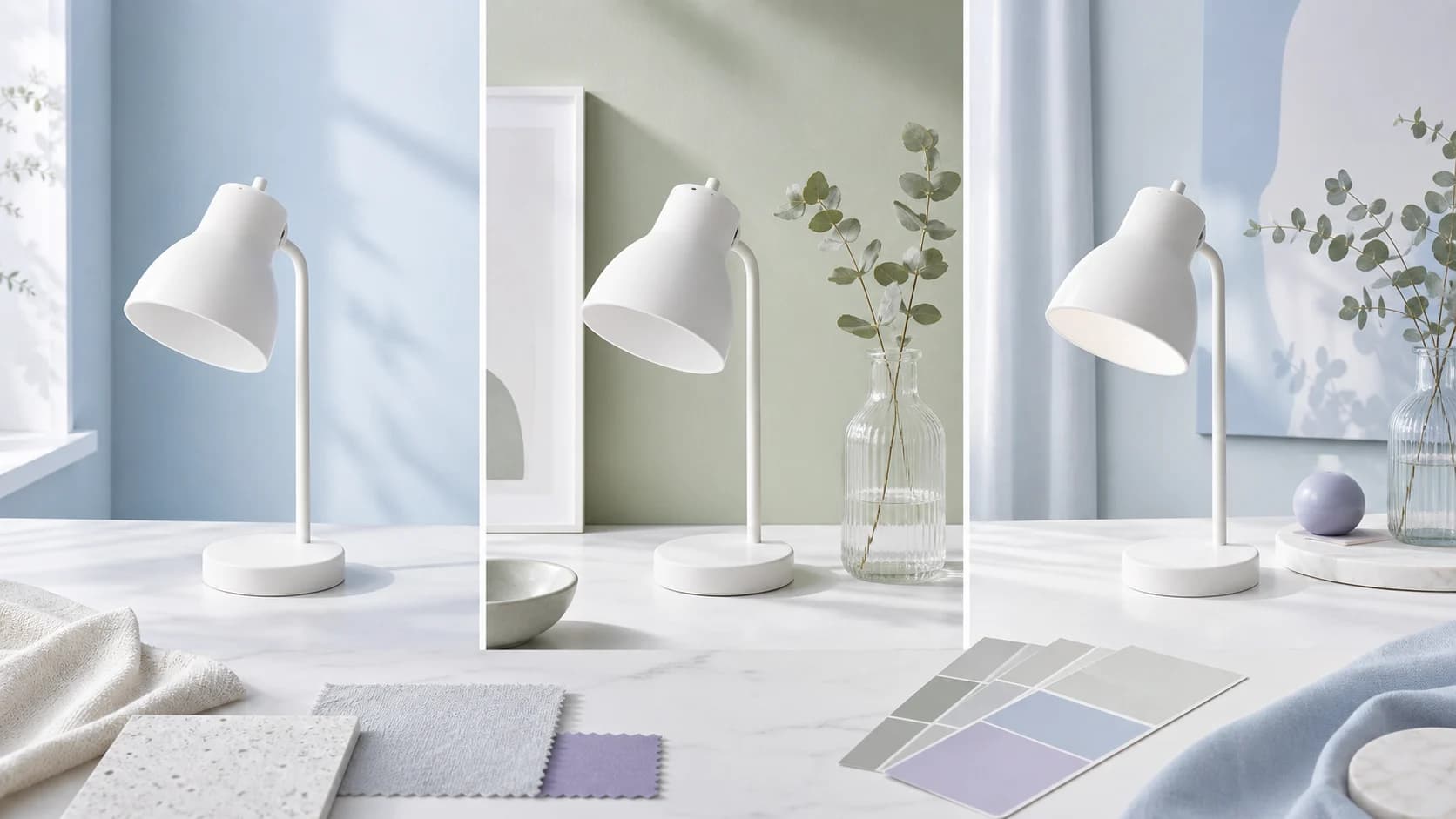
A bright three-panel workflow can preserve the same white lamp while changing the room color, supporting object, composition, and final campaign treatment. The instruction should separate protected product geometry from the requested environment and styling changes.
Editorial workflow illustration created for ZMS AI. It explains a reference-led review method and is not presented as a GPT Image model output or a current live-generation test.Selection notes
Known now: both routes support text and multi-reference task preparation, while 1.5 and 2 expose different size, quality, resolution, and fidelity choices. The family page has planning artwork but no complete current four-image result ledger, so it does not publish a Results gallery.
| Decision | Current fact | Review action |
|---|---|---|
| Choose the route | GPT Image 1.5 and 2 both prepare text or multi-reference tasks, but their size, resolution, quality, ratio, and edit-fidelity controls differ. | Keep one brief and reference set stable, then open GPT Image 2 or 1.5 according to the placement and controls required. |
| Read the evidence | This family page contains planning artwork and a decorative workflow example, but no complete current four-image generated-pair ledger or family Results gallery. | Treat the compact recipes as suggested briefs, not output proof. Review archived version-page evidence only within its disclosure and do not infer current delivery quality. |
| Approve production | Configured inputs and upstream OpenAI documentation do not prove signed-in fulfilment, returned media, debit, reference fidelity, rights clearance, or publication readiness. | Run one representative task, inspect identity, geometry, text, materials, and permissions, then check current ZMS AI pricing before approving a production batch. |
FAQ
Practical answers for choosing a version, preparing inputs, and reviewing a first generation.
No complete four-image current result ledger is published here. The visible workflow imagery is planning material, while archived GPT Image 2 evidence remains on the dedicated version page with its disclosure.
It remains useful as a previous-model baseline and for tasks that specifically need its visible quality or edit-fidelity controls. New current-model evaluation should normally begin with GPT Image 2.
Yes when the same references and target crop are supported. Keep requested changes and protected details identical, then move quality, fidelity, ratio, and resolution choices into the version-specific controls.
No. More references can introduce conflicts. Give each source one authority, remove redundant images, state which source wins, and inspect identity, geometry, text, palette, layout, and material drift after return.
Verify signed-in submission, returned media, resolution, editing behavior, debit, and download on one representative task. Then review hands, text, geometry, protected details, rights, and brand approval before scaling.
No. The current ZMS workspaces do not expose masks, transparent backgrounds, output format, compression, batch count, seed, or a negative-prompt field. Upstream OpenAI documentation and ZMS controls are described separately.
No. ZMS AI is an independent creative workspace and is not affiliated with or endorsed by OpenAI.