480p to 4K
Use 480p or 720p for direction tests; move to 1080p or 4K after motion and framing pass.
Prepare text-to-video or image-to-video tasks with a connected Seedance 2.0 adapter and controls for framing, resolution, and clip length.
Loading generator…
Model overview
The Seedance 2.0 AI Video Generator in ZMS AI prepares one shot from text or a start image with duration, resolution, and ratio controls.
ByteDance documents broader multimodal inputs. ZMS currently exposes text or one image, 480p–4K, 4–15 seconds, and six ratios.
Use the Seedance model family to compare versions; visible ZMS controls define this task boundary.
Workspace controls
Choose settings for the final destination and keep them stable during prompt comparisons.
Use 480p or 720p for direction tests; move to 1080p or 4K after motion and framing pass.
Choose 4–15 seconds in one-second steps and leave enough time for one action to resolve.
Choose 16:9, 9:16, 1:1, 4:3, 3:4, or 21:9 before composing movement and negative space.
The driver is connected, but sign-in, service acceptance, and returned media still require verification.
Single-action recipes
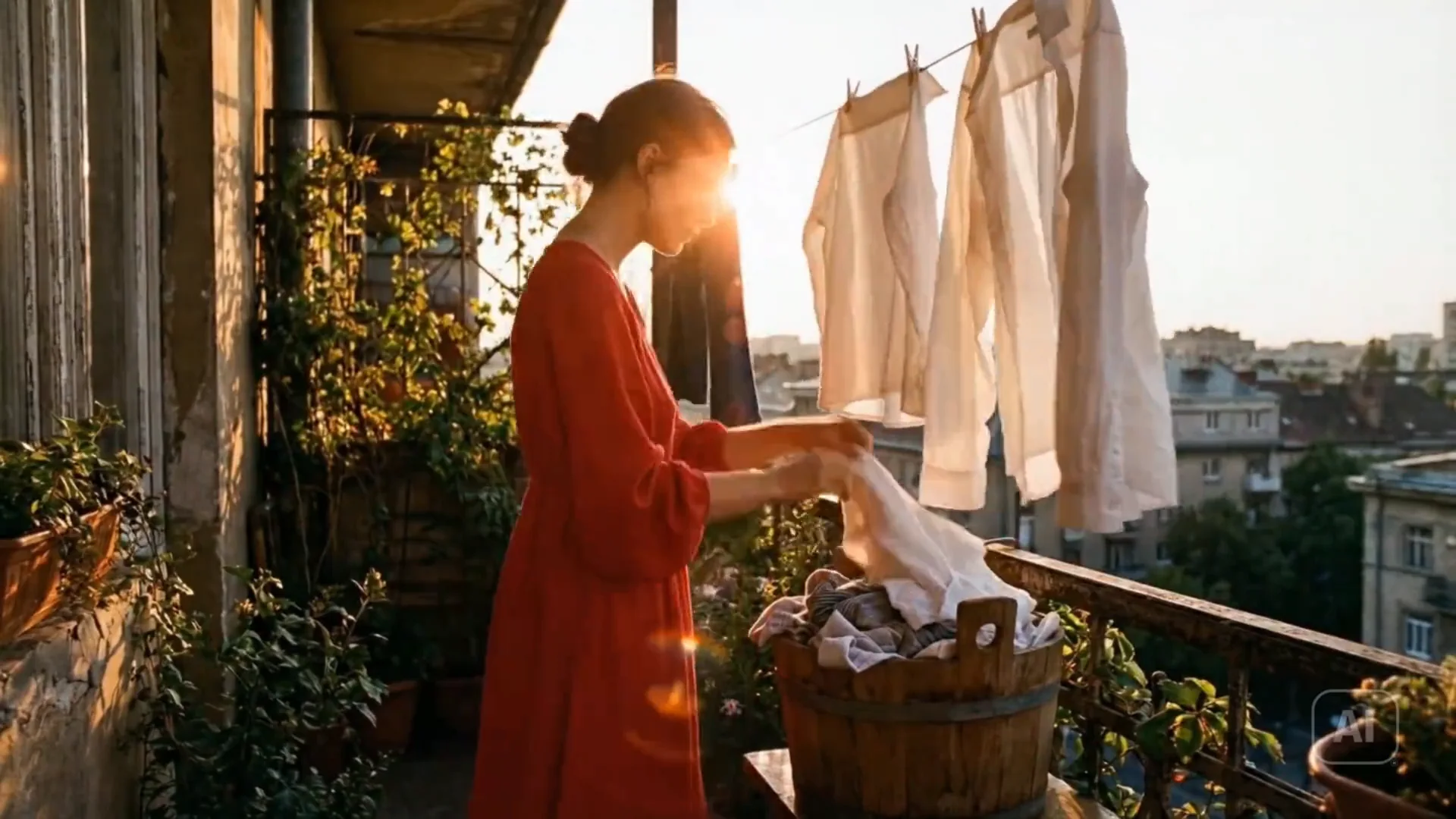
These four suggested prompts are original. The first reconstructs the archived laundry study because its real prompt is missing. Try preserves mode.
Three text-led shots and one start-frame task
4 starter recipesReview continuity without claiming the missing original prompt.
Wide daylight view in a quiet courtyard. An adult woman in a blue work shirt lifts one white sheet from a wicker basket, clips its two upper corners to a clothesline, smooths the fabric once, and removes both hands. The camera makes one slow lateral move at waist height while preserving her face, four visible clothespins, basket position, wall texture, line height, fabric shape, and soft overcast light. No speech, extra person, duplicate sheet, changing clothing, fused fingers, wind gust, cut, zoom, camera shake, or background redesign. End with the sheet hanging flat and the woman standing beside the basket.
Check objects, hand contact, identity, line, wall, and resolved sheet.
Test hands, cup geometry, steam, counter, and one side track.
Medium side view in a calm morning cafe. A barista in a white apron carries one ceramic cup from the espresso machine, places it on a marked spot on the marble counter, turns the handle toward the customer, and releases it. The camera tracks slowly at counter height. Preserve the same face, hands, cup, handle, apron, machine, counter edge, and window-light direction. No speech, duplicate cup, extra finger, changing handle, spilling liquid, cut, zoom, camera shake, or background customer. End after both hands leave the cup and the steam rises once.
Check cup, handle, hand contact, track, release, steam, counter, and ending.
Test horizon, subject scale, direction, and negative space in 21:9.
Ultra-wide blue-hour view of one adult ranger walking from the left edge along a rocky shoreline toward a small signal lamp on the right. The camera performs one slow parallel track while waves break behind the subject and the lamp becomes the final focal point. Preserve the same ranger, coat, backpack, shoreline contours, horizon level, lamp position, and cool-to-warm light contrast. No dialogue, extra person, boat, duplicated rocks, camera roll, cut, speed ramp, changing weather, or invented text. End with the ranger stopped two meters before the lamp and open sea filling the left half.
Compare horizon, shoreline, ranger, lamp, tracking, and final negative space.
Protect architecture, layout, palette, and crop from an authorized start image.
Use the uploaded first frame as the exact opening composition of one unbranded flower shop facade. Preserve the three window bays, green door, awning stripe count, six flower buckets, paving joints, wall color, and overcast light. Over eight seconds, the door opens inward, one adult florist steps out carrying a single empty crate, crosses to the nearest bucket, and stops. Keep the camera locked. No readable new text, extra person, duplicate crate, changing facade, moving buckets, warped door, cut, zoom, rain, focus jump, or altered crop. End with the florist beside the first bucket and the storefront fully visible.
Compare bays, door, awning, buckets, paving, crop, and light across frames.
Capability boundary
Separate official model scope from controls exposed in ZMS.
| Layer | Official Seedance 2.0 | Current ZMS UI | Review note |
|---|---|---|---|
| Official multimodal model | Text, image, audio, video references, editing, and continuation | Broader upstream model scope | Model context, not proof of ZMS controls |
| Text-to-video path | Text-led generation from a structured prompt | ZMS sends structured text to the adapter | Define one event, subject, setting, and camera path |
| Image-to-video path | Image-led generation with motion from the prompt | The interface accepts one starting image | Anchor appearance and layout; prompt movement |
| Not exposed in this UI | Multi-image, video/audio reference, editing, and extension | The present ZMS workspace does not expose these controls | Unavailable on this page |
Archived motion reference
Review body movement, fabric, hands, continuity, and action transition.
Archived Seedance 2.0 example from a prior internal project, not a current ZMS live-generation test.Practical workflow
Use four stages; the Seedance 2.0 workflow guide adds handoff checks.
Name destination, subject, action, and feeling; split unrelated scenes.
Use text for open scenes or one image to anchor composition and identity.
Lock duration, resolution, and ratio before comparing prompts.
Check opening, midpoint, ending, identity, geometry, camera, timing, and resolution.
Production review
Official Seedance 2.0 capabilities, the narrower ZMS controls, and the archived laundry clip support different claims. This ledger keeps them separate, turns the clip into an opening-middle-ending review path, and states the service, rights, task, and debit checks still required before production.
| Decision | Current fact | Review action |
|---|---|---|
| Choose the input path | ZMS exposes text or one start image, 480p–4K, 4–15 seconds, and six ratios. Official multimodal references, editing, extension, and audio are broader upstream capabilities. | Use only visible controls, compare versions on the Seedance family, and move to Seedance 2.5 only when its reference paths fit better. |
| Review archived motion | The laundry clip is prior internal Seedance 2.0 evidence with recorded date and PT8.033S duration, but its original prompt and current service task are not retained. | Inspect opening object counts, midpoint hand and fabric contact, and ending identity, line, wall, and action resolution. Do not label a reconstructed brief Prompt used. |
| Approve production use | The connected driver does not prove signed-in completion, current quality, returned media, or final debit. ZMS is independent from ByteDance and Seedance. | Retain prompt, input, settings, output, and acceptance note; confirm rights and consent, then check ZMS AI pricing before expanding one test into a larger batch. |
FAQ
Answers about ZMS inputs, framing, duration, model scope, and archived evidence.
It is a registered ZMS workspace with text, one optional image, six ratios, 480p–4K, and 4–15 seconds. Delivery requires service acceptance.
Yes. Upload one starting image to anchor appearance and composition, then prompt action and camera behavior.
ZMS lists 480p, 720p, 1080p, 4K and 16:9, 9:16, 1:1, 4:3, 3:4, 21:9.
Choose whole seconds from 4–15 and leave one event enough time to resolve.
No. ByteDance documents more reference and editing paths; ZMS exposes text and one-image preparation here.
No. It is prior internal evidence and does not prove current ZMS delivery or quality.