Fast visual directions
Use a structured natural-language brief to test one product scene, editorial frame, illustration, or campaign direction. Keep the deliverable and review criteria stable while changing only one visual variable.
Explore Nano Banana image models and open a focused workspace for prompt-led generation and visual refinement.
Loading generator…
Model family overview
Nano Banana is Google’s name for Gemini native image-generation capabilities. ZMS AI lists Nano Banana 2.1 and Nano Banana 2. Google identifies Nano Banana 2 as Gemini 3.1 Flash Image. Use this family page to choose the workspace that fits the assignment.
Open Nano Banana 2.1 for 1K, 2K, and 4K text-to-image or reference edits. Stay with Nano Banana 2 for 0.5K or its recorded stills. Return to the AI image generator when another family is still in question. A signed-in task is still required before delivery is verified.
Creative fit
Nano Banana 2.1 and Nano Banana 2 are the current family routes. Match the assignment here, then open the version page for its exact controls and credit estimate.
Use a structured natural-language brief to test one product scene, editorial frame, illustration, or campaign direction. Keep the deliverable and review criteria stable while changing only one visual variable.
Attach approved images for identity, object geometry, palette, material, or layout. State the requested change and protected facts separately, then review every return rather than assuming references stayed exact.
Hold the core prompt and references stable while testing crop, background, palette, or light one at a time. This creates a reviewable variation set instead of a collection of unrelated attractive images.
Use explicit protected details to reduce drift across a small set, then inspect identity, hands, text, logo placement, product geometry, and composition. Reference support is a workflow input, not a consistency guarantee.
Version guide
Two ZMS routes are current. Compare their controls here, then return to the image hub if the assignment still needs another family.
| Version | Best for | Workspace inputs | Planning note |
|---|---|---|---|
| Nano Banana 2.1 | Text-to-image and reference edits at 1K, 2K, or 4K | A prompt, optional search, and 1–14 references when editing | 12, 18, or 24 credits, plus 3 per search and 1 per extra reference |
| Nano Banana 2 | Prompt-led generation, reference edits, and recorded stills | Text or references, including a 0.5K exploration size | Open the version page for its controls and the four generated stills |
| Image model hub | Assignments that still need a family or model decision | A deliverable brief before a model-specific input path is chosen | Return to /image to compare GPT Image, Nano Banana, and other image routes |
Need prompt examples, model notes, or a deeper workflow?
Read Nano Banana guides →Creation process
These checks choose Nano Banana 2.1, Nano Banana 2, or a return to cross-family selection.
Record the placement, format, audience, subject, and message. Decide whether the assignment is open generation, a controlled edit, or a reference-led variation before selecting a model route.
Check that references clearly show the identity, object, layout, palette, or material they control. Remove sources that conflict or add no distinct information to the task.
Open Nano Banana 2.1 for 1K–4K text or edits. Open Nano Banana 2 for 0.5K or its recorded stills. Return to the image hub when another family is still a better fit.
Use the version page for exact reference roles, settings, task submission, and review notes. Verify returned media and debit before expanding one test into a production variation set.
Prompt framework
The family has one current route, so the important adaptation is not version syntax but how references divide authority. Keep each source's role explicit and move exact limits to the version page. Use the planning artwork to connect those choices to one reviewable frame; it prepares input and review decisions rather than claiming model output quality or live delivery.
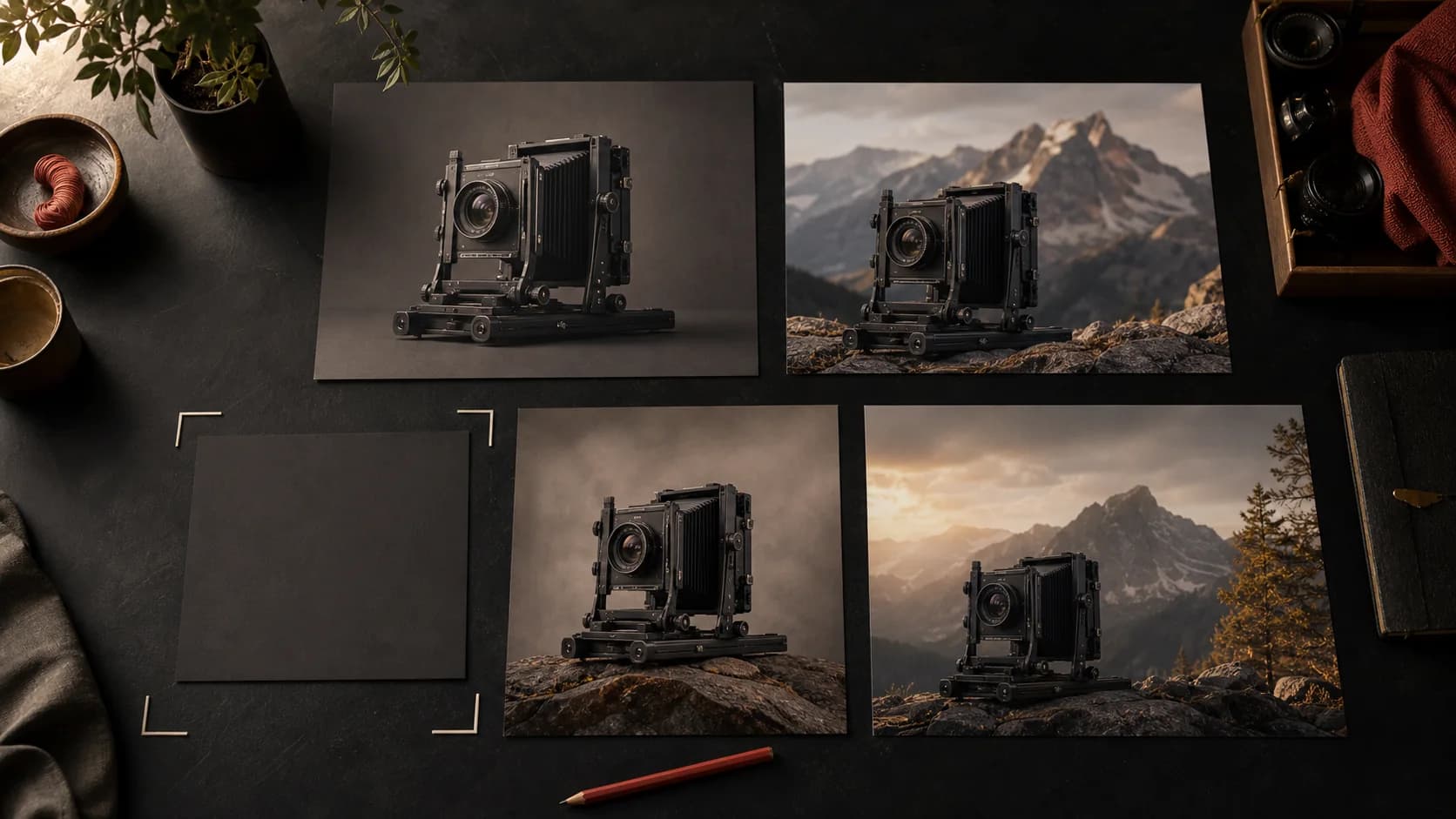
Name the deliverable, audience, subject, and central message before describing style. A product hero, portrait, diagram, or social graphic should each have one testable purpose.
Give each reference one job: identity, geometry, palette, material, layout, or environment. If two sources disagree, state priority or remove one instead of asking the model to compromise.
Write the requested change first, then list protected identity, geometry, text zones, pose, crop, or color facts. This makes drift visible and keeps revisions focused.
Use Nano Banana 2.1 or Nano Banana 2 for that route’s reference count, formats, and credit estimate. Keep settings out of the creative brief unless they affect composition or review.
Nano Banana 2 starter stills
Copy a complete Nano Banana 2 prompt and paste it into the workspace above. These stills were generated on this page's own text-to-image path, so the prompt you copy is the prompt the model already ran.
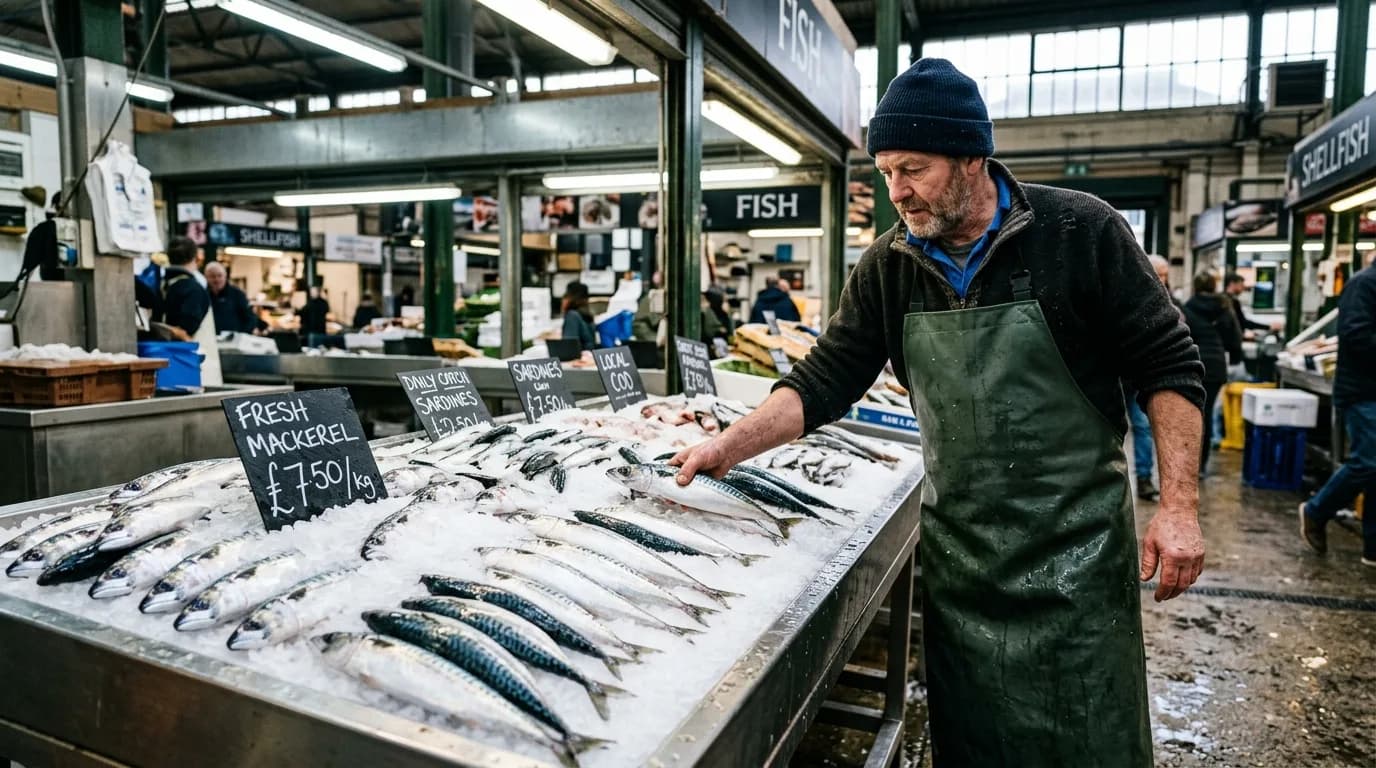
A fishmonger in a rubber apron arranges silver mackerel on crushed ice at a covered market stall, price cards handwritten in chalk. Overhead fluorescent light mixed with daylight from a high window, wet concrete floor, documentary photography, sharp detail on the ice and scales.
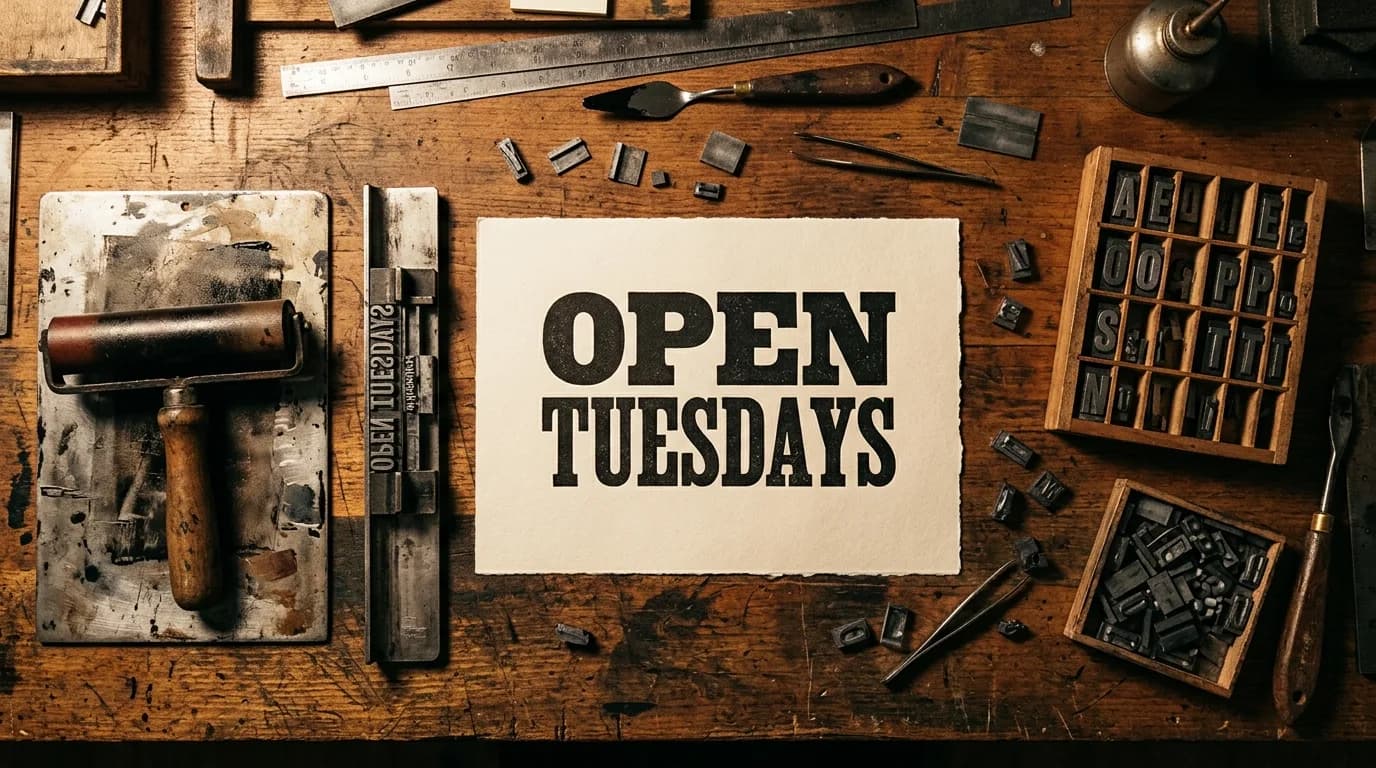
An overhead flat lay of a letterpress workbench: composing stick, scattered lead type, an ink-stained brayer, and a freshly pulled proof reading OPEN TUESDAYS in bold slab serif. Warm tungsten light raking across the wood grain, deep shadows, tactile texture, editorial product photography.
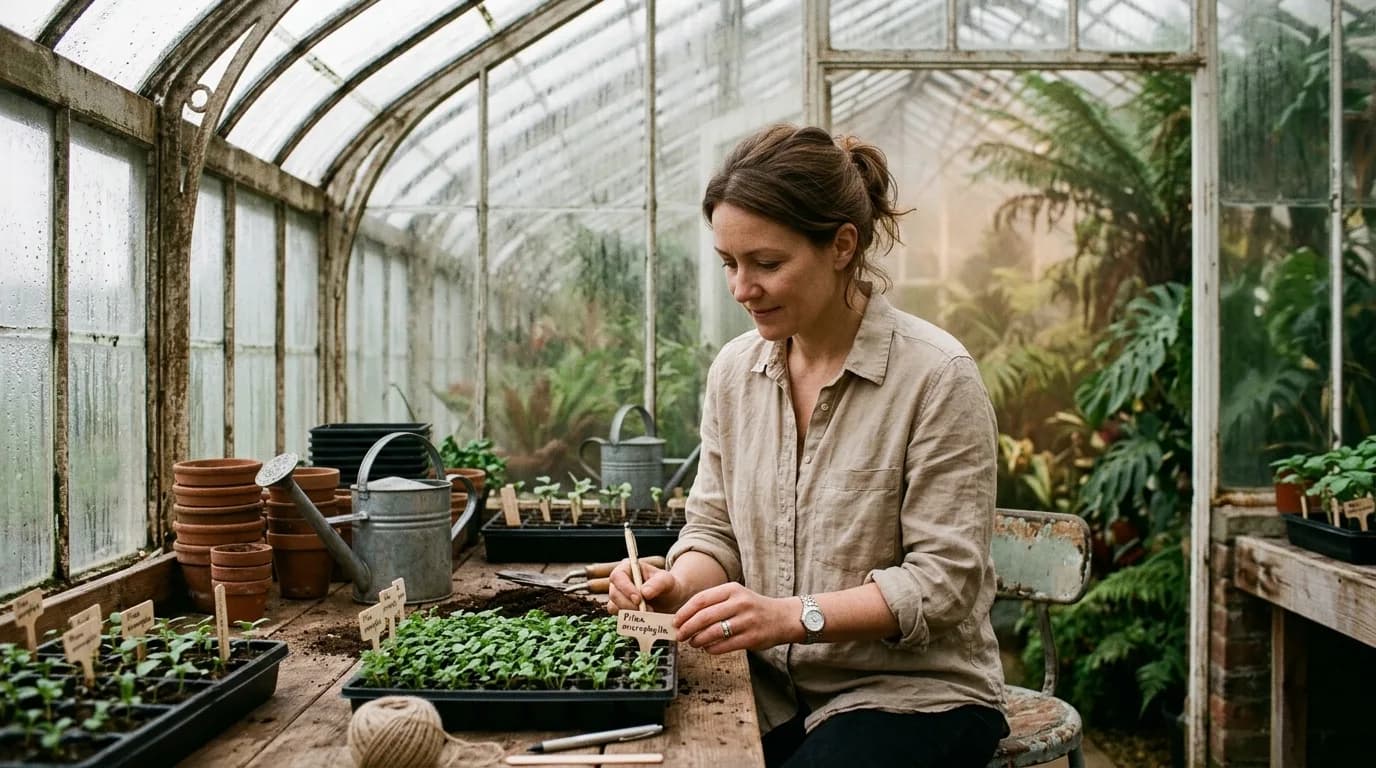
A botanist in a linen shirt labels seedling trays inside a Victorian glasshouse, condensation beading on the panes behind her. Soft overcast light diffused through glass, palms and ferns receding into humid haze, muted green palette, shallow depth of field on the handwritten labels.
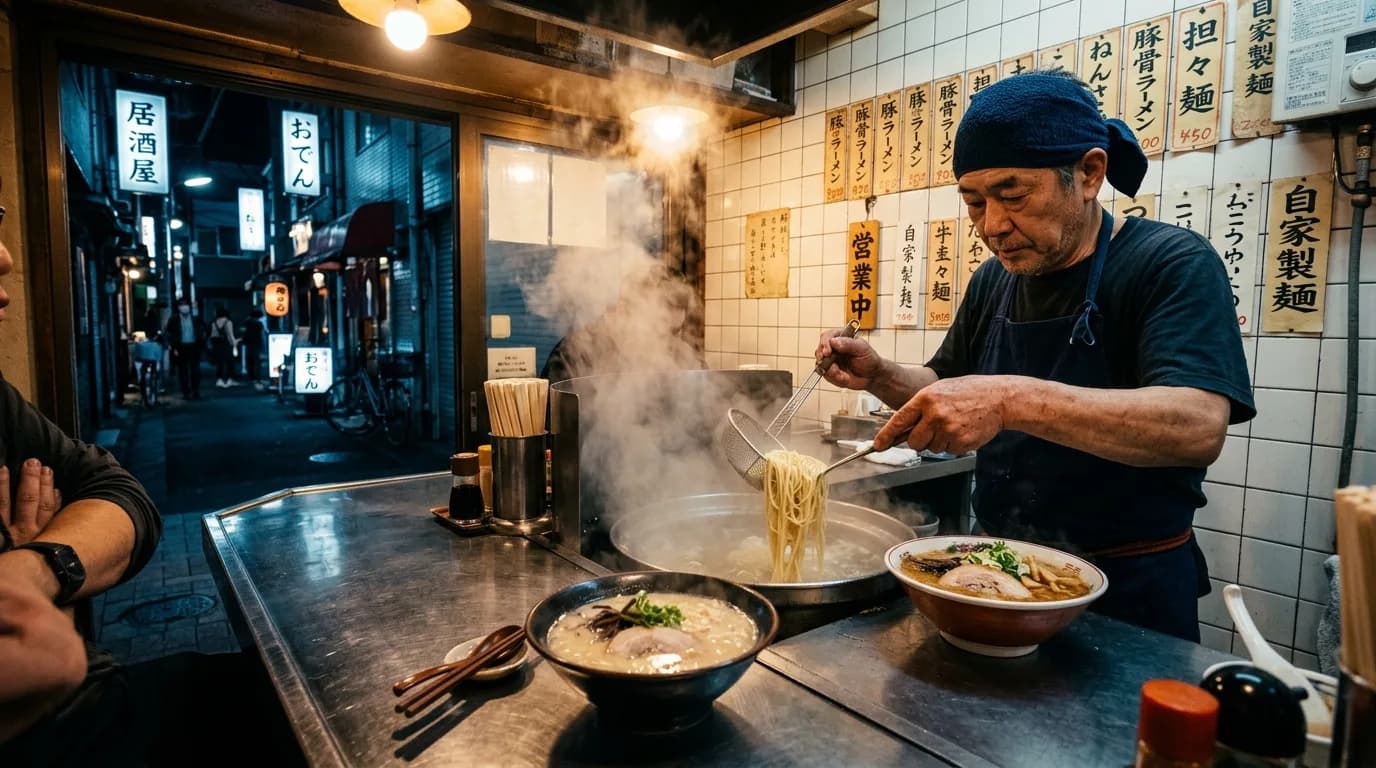
A narrow late-night noodle counter seen from the customer side: steam rising off a bowl, the cook's hands lifting noodles from boiling water, hand-painted menu strips on the tiled wall. Warm amber bulbs against cool night blue outside the doorway, reflective steel counter, cinematic still.
Selection notes
Known now: Nano Banana 2.1 and Nano Banana 2 are both current routes. The four cards above are Nano Banana 2 generated pairs. They do not show Nano Banana 2.1 output, and they do not guarantee identity, text, logo, geometry, or reference fidelity.
| Decision | Current fact | Review action |
|---|---|---|
| Choose the route | Nano Banana 2.1 adds a 1K–4K route. Nano Banana 2 remains available, including 0.5K and the recorded stills on this page. | Open Nano Banana 2.1 for the newer size list, or Nano Banana 2 when those stills are the evidence you need. |
| Read the evidence | The four visible stills are current Nano Banana 2 generated pairs with recorded prompts. They prove only those tasks, not repeatable identity, text, logo, or geometry fidelity. | Use each pair as a prompt-and-result reference, then test the actual subject and approved sources. Reject drift rather than generalizing from attractive examples. |
| Approve production | A connected route and visible settings do not guarantee reference preservation, signed-in completion, final debit, rights clearance, or production consistency. | Run one representative task, inspect protected details and permissions, retain the result record, then check current ZMS AI pricing before scaling a variation set. |
FAQ
Practical answers for choosing a version, preparing inputs, and reviewing a first generation.
It separates choosing between Nano Banana 2.1 and Nano Banana 2 from operating either workspace. If the family is not settled, this page sends the task back to the image hub.
Yes. The four cards are current Nano Banana 2 generated pairs with the recorded prompts. They prove those specific text-to-image tasks, not consistent performance on a different subject or reference-led edit.
No. References guide the task but do not guarantee identity, product geometry, text, logo, pose, or layout preservation. Separate requested changes from protected details and inspect every returned image.
Return when the assignment still needs a family comparison, another model's evidence, different controls, or a more suitable input path. Stay on Nano Banana 2 when its focused prompt-and-reference route already fits.
It establishes Google's upstream claim that Nano Banana model outputs include SynthID. It does not by itself prove that a specific ZMS task completed, returned an image, or preserved the watermark through later processing.
No. ZMS AI is an independent creative workspace and is not affiliated with or endorsed by Google.