Camera-led shot briefs
Veo briefs can bind shot scale, camera path, focus, blocking, and light to one visible event. Use film language only when each term changes what a reviewer can inspect in the returned clip.
Compare Veo 3 and Veo 3.1, review their current ZMS adapter status, and prepare a video task in one consistent workspace.
Loading generator…
Model family overview
The Veo AI video generator family supports prompt-led shot planning with explicit action, camera, environment, and sound direction. ZMS AI uses this family page to compare Veo 3 and Veo 3.1 while keeping each route, model identifier, and available control set separate.
Google Cloud lists Veo 3.0 endpoints as retired and Veo 3.1 as their replacement, while ZMS uses independent provider routes. Choose the version here, then use its page for sub-version and input details; the broader AI video generator remains the place for cross-family planning. Registered adapters do not prove signed-in delivery or debit.
Creative fit
Veo is most useful when camera, sub-version, audio intent, and reference mode are decisions rather than afterthoughts. These are the family-level differences to settle before detailed prompting.
Veo briefs can bind shot scale, camera path, focus, blocking, and light to one visible event. Use film language only when each term changes what a reviewer can inspect in the returned clip.
Veo 3 accepts text or one start image in its current route. Veo 3.1 adds mode-specific first-and-last-frame and multi-reference paths, so the available assets should determine the version before the prose is refined.
Veo 3 exposes Fast and Pro; Veo 3.1 exposes Lite, Fast, Pro, and reference paths. Pick the sub-version from visible resolution, input, and audio controls instead of treating labels as interchangeable quality claims.
The audio switch appears for Veo 3 and for Veo 3.1 Fast or Pro text and image modes, but not for 3.1 Lite or Reference mode. Visible controls are known; live audio delivery remains unverified.
Version guide
The Veo AI choice is less about finding a universal winner and more about matching the latest supported control set to the task. Begin with a short benchmark prompt and compare the evidence in your own format.
| Version | Best for | Workspace inputs | Planning note |
|---|---|---|---|
| Veo 3 | Legacy Veo 3 provider-path tests using a compact control set | Text or one start image; Fast or Pro; two ratios; 720p or 1080p | Independent adapter; Google Cloud Veo 3.0 endpoints are retired |
| Veo 3.1 | Current Lite, Fast, Pro, first-and-last-frame, or reference planning | Text, start image, optional end frame, or 1–3 references by mode | Verify version-specific audio, resolution, and live task status |
Need prompt examples, model notes, or a deeper workflow?
Read Veo guides →Creation process
This workflow selects the Veo route and sub-version before the version page takes over. It is intentionally narrower than a general shot-making tutorial.
Record whether the task begins with text, one start image, first and last frames, or multiple asset references. That inventory removes routes that cannot accept the actual source material.
Use Veo 3 only for its compact independent adapter path. Choose Veo 3.1 when Lite, first-and-last-frame, or multi-reference preparation is required, then confirm the sub-version exposes the needed mode.
Hold subject, action, camera path, ratio, duration, and review criteria steady for a benchmark. Change the version or sub-version alone so the comparison remains diagnostic rather than anecdotal.
Use the selected page for exact fields, settings, evidence notes, and its current verification boundary. A visible input or registered adapter is not yet proof of returned media, debit, or download.
Prompt framework
Keep the same observable shot objective across the family, then adapt the brief to the selected version, sub-version, reference role, and audio control. Do not borrow a 3.1-only path for Veo 3. Use the planning artwork to connect those choices to one reviewable frame; it prepares input and review decisions rather than claiming model output quality or live delivery.
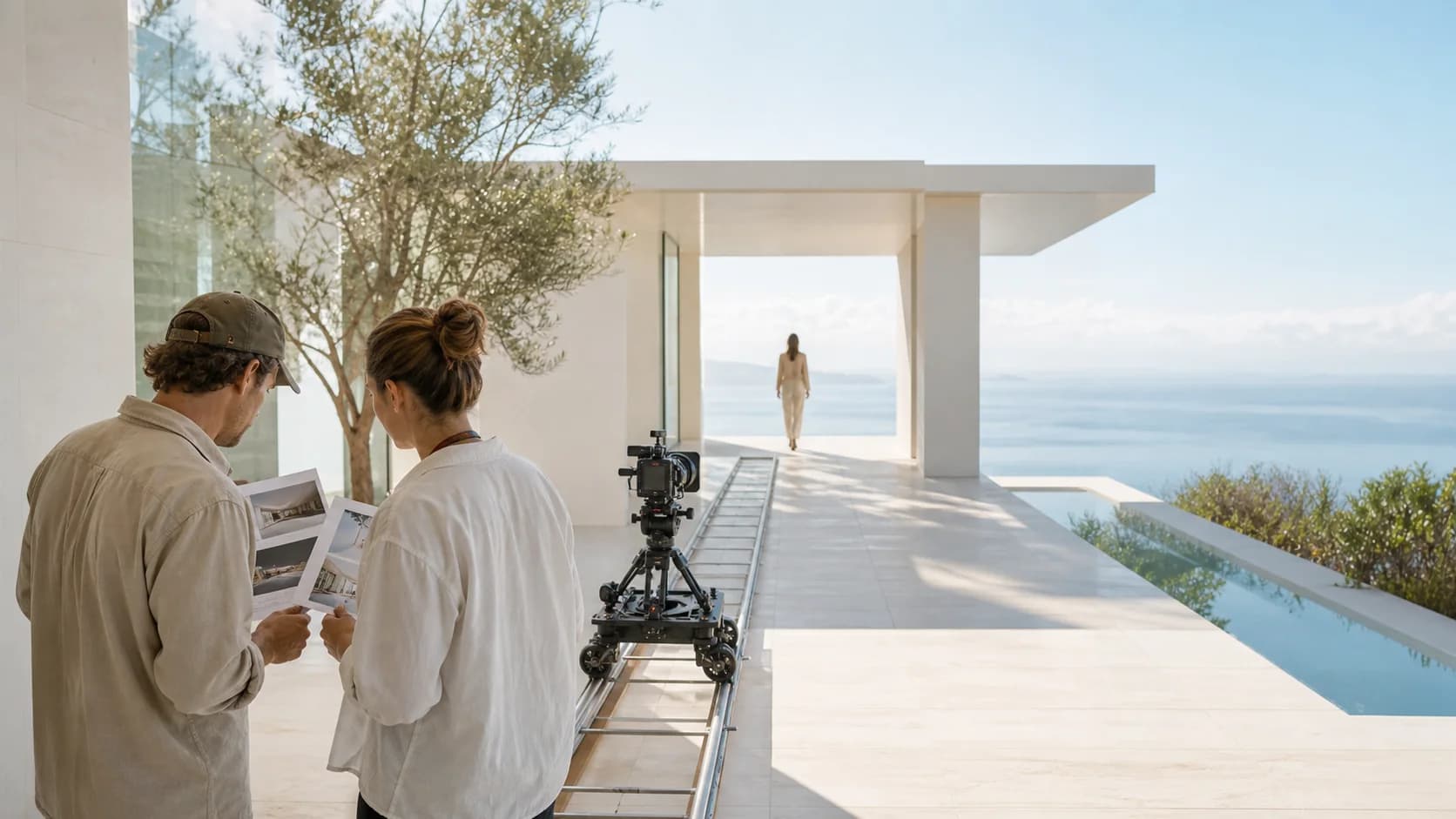
For Veo 3, write one subject, action, camera path, environment, light, and optional sound intent. Use text or one start image only, then choose Fast or Pro in the workspace.
When start and end frames define the endpoints, describe the causal action, camera behavior, and continuity rules between them. Do not restate or redesign either supplied composition.
In 3.1 Reference mode, give each asset one identity, object, environment, or material role. Remove redundant sources and name the winner when appearance or composition conflicts.
Write ambience, dialogue, or sound cues only when the selected sub-version shows an audio control. Review lip timing, event synchronization, and unwanted sound separately; live delivery is not yet verified.
Archived Veo 3.1 example
A Veo AI landscape brief can start behind nearby trees, move laterally into a clear lake view, and let the mountain remain the visual anchor. The motion has one purpose, while light, reflection, and foreground parallax provide evidence for review.
Frame from an archived Veo 3.1 example retained from a prior internal project. It is a workflow reference, not a current ZMS AI live-generation test, and the original project does not contain a separate rights-clearance ledger.Selection notes
Known now: Veo 3 and 3.1 expose different sub-versions, inputs, and audio paths. The page retains one disclosed archived Veo 3.1 clip; four newer files are not connected here because their prompt, parameters, date, and source ledger are incomplete.
| Decision | Current fact | Review action |
|---|---|---|
| Choose the route | Veo 3 and Veo 3.1 expose different sub-versions, frame paths, reference modes, resolution choices, and audio controls in their current ZMS workspaces. | Match the approved source assets to the table, then open the selected version page and confirm its visible mode before writing a detailed shot brief. |
| Read the evidence | The family page retains one disclosed archived Veo 3.1 clip. Four newer files remain excluded because their prompt, parameters, date, and source ledger are incomplete. | Use the archived clip only for motion review. Do not infer current service delivery, audio behavior, rights clearance, or comparative model quality from it. |
| Approve production | An independent registered adapter and upstream documentation do not prove signed-in completion, returned media, final debit, download behavior, or production reliability. | Run one controlled benchmark, inspect camera, continuity, audio, and rights, then check current ZMS AI pricing before expanding into a production sequence. |
FAQ
Practical answers for choosing a version, preparing inputs, and reviewing a first generation.
No. It is retained as an archived workflow reference with disclosure. Four newer Veo 3.1 files are not promoted here because their public prompt, parameter, date, and source ledger is incomplete.
The ZMS Veo 3 route uses an independent provider adapter and does not claim to call Google's retired Vertex endpoint. Its presence is a workspace fact, not a statement about Google's current endpoint lifecycle.
No. It proves only that the selected ZMS mode submits an audio choice. A signed-in task must still confirm returned audio, synchronization, unwanted sound, debit, and downloadable media.
Veo 3.1 owns the multi-reference path in the current family. Veo 3 uses text or one start image, so do not write a Veo 3 brief around a 3.1-only reference mode.
Use one supported input path, brief, duration, ratio, and review rubric. Compare only sub-versions that expose the required mode, then inspect motion, camera, continuity, audio, and delivery fit.
No. ZMS AI is an independent creative workspace and is not affiliated with or endorsed by Google. Veo names and trademarks belong to their respective owners.