Seedance AI Video Generator

Compare Seedance AI video models, review each version’s current ZMS integration status, and prepare a task in one consistent workspace.

Family
Seedance
Output
Video

Loading generator…

What is the Seedance AI video generator?

The Seedance AI video generator family turns shot direction and supported visual references into a video task. ZMS AI keeps the family decision in one workspace: compare versions, choose the input path, and preserve a stable brief before opening version-specific controls.

This page compares Seedance 2.5, Seedance 2.0, and Seedance 1.5 Pro; it does not repeat the general AI video generator tutorial. Each route has its own model identifier, inputs, settings, and verification boundary, so select the version here and use its dedicated page for the final task setup.

Where Seedance AI fits in a video workflow

Seedance is most useful when the brief already has a shot objective but the input route is still undecided. These four family-level fits explain when the version choice materially changes the task.

01

Choose inputs before polish

Pick the version from the assets already available: text only, one start image, image or video references, or a first-and-last-frame pair. This prevents a polished prompt from depending on a field the selected workspace does not expose.
02

Plan the shot duration

Seedance 2.5 covers the longest current ZMS duration range, while Seedance 2.0 and 1.5 Pro use shorter ranges with higher resolution options. Duration is therefore a version-selection input, not a detail to decide after prompting.

03

Separate upstream from workspace

Official model materials can describe broader multimodal scope than one ZMS route exposes. The visible version workspace is the practical control boundary; registered drivers still require signed-in generation, returned-media, and debit verification.

04

Keep comparisons diagnostic

When two versions accept the same brief, hold input, duration, ratio, and review criteria steady. Change the version alone, then compare motion readability, subject stability, camera obedience, and whether the ending resolves.

Compare Seedance AI versions

The best Seedance AI version is the one that matches the input type, output expectation, and integration state of the current task. The table is a workspace guide, not a claim that every model exposes identical controls.

VersionBest forWorkspace inputsPlanning note
Seedance 2.5Longer clips, image or video references, and first-and-last-frame tasksText, image or video references, or a first-and-last-frame path480p or 720p, 4–30 seconds; text ratios include 21:9 and adaptive; first-last-frame is adaptive
Seedance 2.0Higher-resolution clips and start-image motion studiesText prompt or one start image in the ZMS workspace480p–4K, 4–15 seconds, six ratios, with an audio switch
Seedance 1.5 ProEstablished prompt-led and one-image short-form testsText prompt and optional start image in the ZMS workspace480p–1080p, 5 or 10 seconds, six ratios

Choose a Seedance version in four checks

Use this family workflow before writing version-specific settings. It narrows one existing brief to the Seedance route that can accept its inputs and delivery constraints.

  1. 01

    Inventory the inputs

    List whether the task begins with text, one start image, image or video references, or a first-and-last-frame pair. Eliminate any version whose visible workspace cannot accept that set.

  2. 02

    Lock delivery limits

    Match duration, resolution, and aspect ratio to the placement. Select Seedance 2.5 for its reference routes or longer range; keep 2.0 or 1.5 Pro when their shorter, higher-resolution path fits.

  3. 03

    Run one benchmark

    Keep one subject, action, camera move, and ending across the first task. A stable benchmark makes version behavior readable and prevents prompt rewriting from masking the difference.

  4. 04

    Open the selected route

    Move to the version page for its exact mode, format, duration, and evidence notes. Do not carry an unsupported field or an unverified delivery assumption into the final submission plan.

How the Seedance brief changes by version

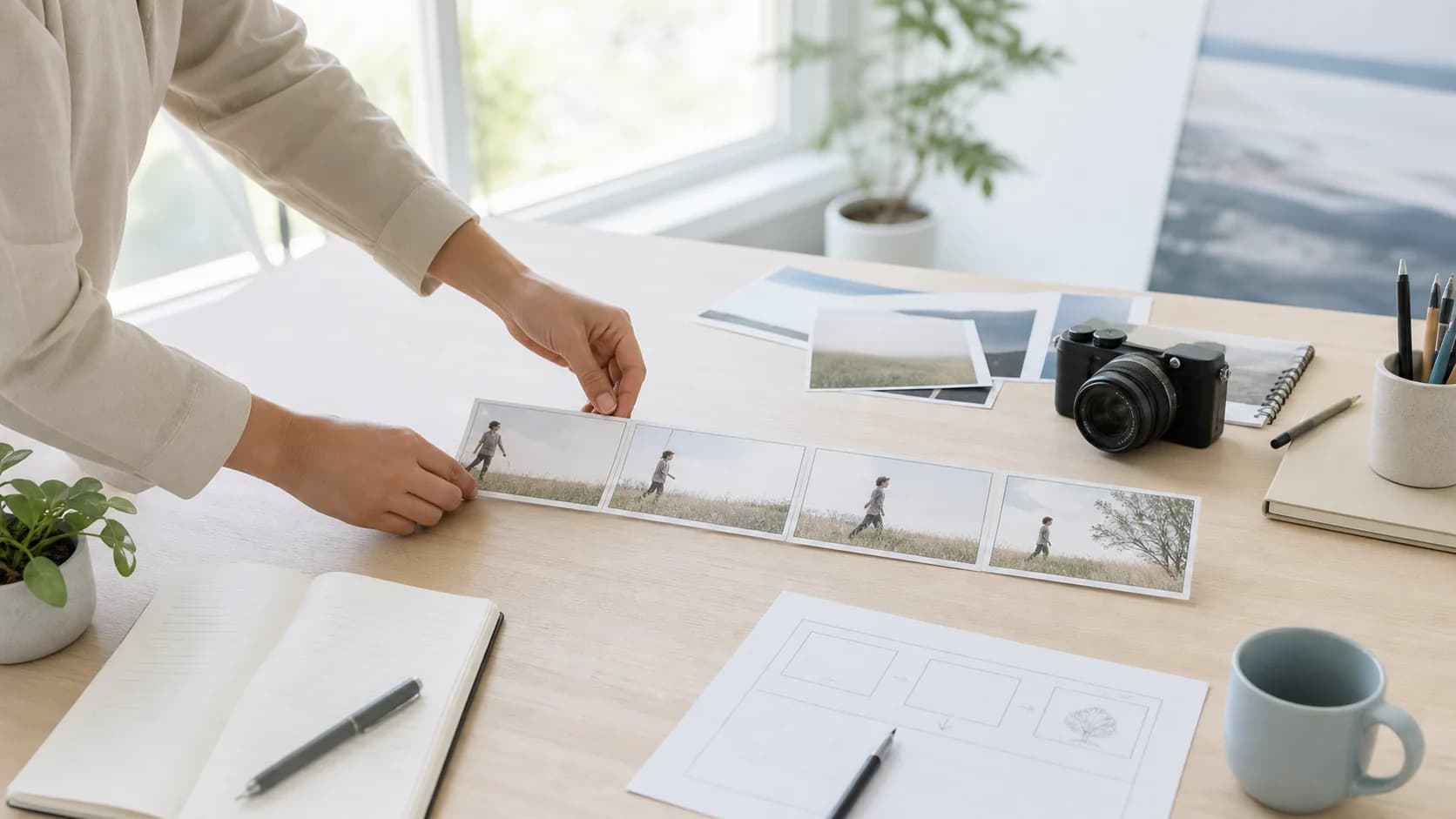
Keep the same core shot—subject, action, camera path, environment, and ending—but change the brief where the selected Seedance route changes the input contract. The version page then owns the exact controls. Use the planning artwork to connect those choices to one reviewable frame; it prepares input and review decisions rather than claiming model output quality or live delivery.

A shot-planning still used to introduce Seedance version comparison
Original ZMS AI shot-planning artwork. It connects input authority, camera direction, continuity, and review into one visual brief; it is not a Seedance output, a live task result, or evidence of delivery quality.
  1. 01

    Text-only shot baseline

    For a text task, preserve one visible action and one motivated camera move across versions. Keep duration, ratio, and resolution in controls so the creative brief remains reusable.

  2. 02

    Start-image motion direction

    When one image establishes identity and layout, describe motion, timing, camera, and ending rather than restating the frame. Seedance 1.5 Pro and 2.0 expose this path.

  3. 03

    Reference-led 2.5 brief

    On Seedance 2.5, assign each image or video reference a distinct identity, motion, or composition job. Remove sources that give the same element conflicting instructions.

  4. 04

    First-to-last frame transition

    For a first-and-last-frame task, write the causal action, camera behavior, and continuity facts connecting the supplied endpoints. Do not use the prompt to redesign either frame.

Review a mixed-version Seedance evidence set

This is a mixed-version evidence lane, not a controlled head-to-head comparison: three current generated pairs use Seedance 1.5 Pro, while the disclosed laundry clip is an archived Seedance 2.0 reference with a reconstructed starter prompt.

Seedance 1.5 Protext-to-video

Blue-hour street shot

A cyclist in a dark wool coat rides away down a rain-wet cobblestone street at blue hour, neon shop signs reflecting in puddles. The camera tracks slowly from behind at chest height. Cool cyan sky, warm window light, shallow depth of field.

Seedance 1.5 Protext-to-video

Copper kettle steam

A copper kettle sits on a lit gas stove in a quiet kitchen as steam curls upward. The camera slowly dollies in. Warm sidelight across dark wood counters, shallow focus, soft morning atmosphere, no camera shake.

Seedance 1.5 Protext-to-video

Foggy harbor pier walk

A lone walker in a gray raincoat crosses a wet wooden pier toward foggy fishing boats. The camera tracks slowly from behind. Overcast dawn, muted teal water, soft diffused light, no camera shake.

Seedance 2.0text-to-videoarchived, not a current live-generation test

Golden-hour balcony laundry

A woman in a long red dress hangs white linen on a wrought-iron balcony at golden hour, reaching up with wooden clothespins as a breeze lifts the shirts. Steady side-profile medium shot, strong backlight and rim light, European rooftops behind her, warm lens flare.

Choose Seedance by task and evidence

Known now: the three routes expose different inputs and settings, and the gallery above contains three current Seedance 1.5 Pro pairs plus one disclosed Seedance 2.0 archive. It does not prove a fair cross-version ranking or current Seedance 2.5 delivery.

DecisionCurrent factReview action
Choose the routeSeedance 1.5 Pro, 2.0, and 2.5 expose different text, frame, reference, duration, resolution, and audio paths in their current ZMS workspaces.Match approved inputs to the comparison table, then open Seedance 2.5 or the selected version before refining model-specific controls.
Read the evidenceThe family gallery combines three current Seedance 1.5 Pro generated pairs with one disclosed archived Seedance 2.0 clip; it is not a controlled version comparison.Use each card only for its recorded prompt and provenance. Do not infer Seedance 2.5 quality, reference fidelity, latency, or audio delivery from this mixed lane.
Approve productionVisible controls and registered routes do not prove signed-in acceptance, returned media, final debit, download behavior, or suitability for a production batch.Run one representative task, retain its request and result, inspect continuity and rights, then check current ZMS AI pricing before scaling the selected route.

Seedance AI questions

Practical answers for choosing a version, preparing inputs, and reviewing a first generation.

Does the mixed Seedance gallery rank the versions?

No. It contains three current Seedance 1.5 Pro generated pairs and one disclosed Seedance 2.0 archive. The inputs, settings, dates, and provenance are not aligned for a controlled cross-version ranking.

Where are exact Seedance settings documented?

Use the dedicated version page after selecting from the family table. That route owns its current input modes, resolution, duration, ratio controls, evidence notes, and live-verification boundary.

Can one brief be reused across Seedance versions?

Yes when the versions share the same input path. Keep subject, action, camera, environment, and ending stable, but remove any reference or setting instruction that the destination workspace does not expose.

What should a first Seedance benchmark inspect?

Inspect motion readability, subject and object stability, camera obedience, continuity, ending state, returned format, and whether the debit matches the task. Change one variable before the next run.

Does a registered Seedance driver prove live delivery?

No. Registration proves that a route and adapter are configured in the client. Signed-in submission, polling, returned media, download, and credit behavior still require a live end-to-end test.

Does ZMS AI own or operate Seedance AI?

No. ZMS AI is an independent creative workspace. Seedance model names and trademarks belong to their respective owners.