Wan
Wan 3.0 vs Seedance 2.5: Compare AI Video on ZMS AI
A side-by-side comparison of Wan 3.0 and Seedance 2.5 on ZMS AI — resolution, duration, input modes, and reference handling — to help you pick the right model.
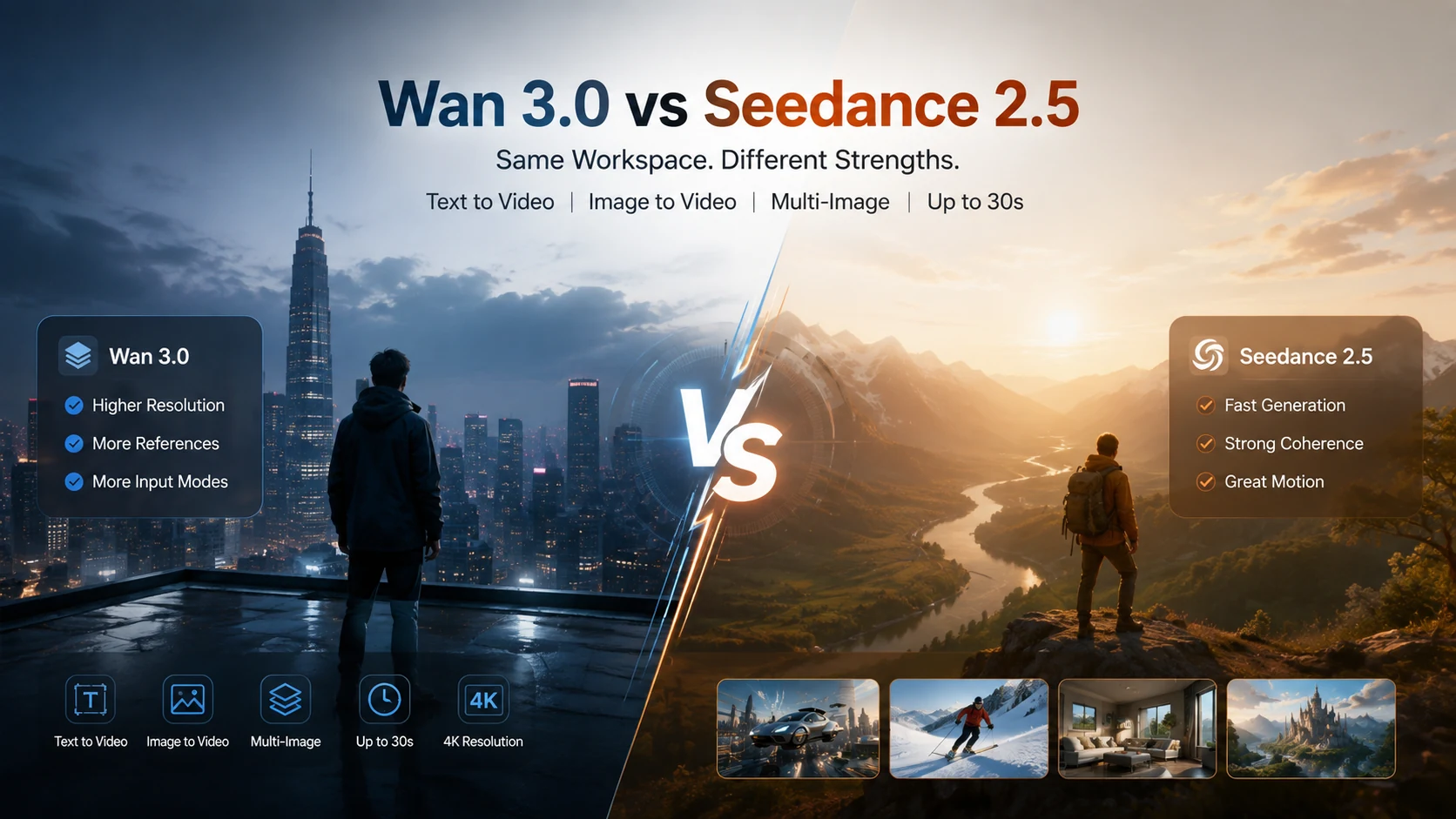
Wan 3.0 and Seedance 2.5: Same Workspace, Different Strengths
Wan 3.0 and Seedance 2.5 sit side by side in the same AI Video Generator workspace on ZMS AI, and on paper they look similar — both handle text-to-video, both support image-based generation workflows, and both offer video durations of up to 30 seconds.
The differences show up in the details: how high the resolution goes, how many references each model accepts, and how their three input modes actually work.
But specifications only tell part of the story.
To see how these differences translate into actual results, we also tested both models on ZMS AI using luxury perfume advertisements, a sports car image-to-video task, and a mixed-reference generation experiment.
This comparison combines the available workspace settings with five actual generated videos, highlighting what worked, what differed, and where limitations appeared.
Quick Comparison
Feature | Wan 3.0 | Seedance 2.5 |
|---|---|---|
Resolution | 480p, 720p, 1080p | 480p, 720p |
Duration | 2–30 seconds, 1-second steps | 4–30 seconds, 1-second steps |
Aspect ratios | Adaptive, 16:9, 9:16, 1:1, 4:3, 3:4 | Adaptive, 21:9, 16:9, 4:3, 1:1, 3:4, 9:16 |
Input modes | Text to video, Image to video, Mixed references | Text to video, First-and-last-frame, Reference video in the tested interface |
Reference limit | Up to 3 in mixed references | Depends on the selected reference mode |
Audio | Generate audio toggle, on by default in the recorded settings | Audio-generation toggle |
These figures come from the ZMS AI workspace settings recorded during our comparison rather than external specification sheets. Available settings may change as the platform is updated.
Quick Verdict: Which Model Wins?
Category | Winner | Why |
|---|---|---|
Maximum resolution | Wan 3.0 | Supports 1080p |
Shortest duration | Wan 3.0 | Starts at 2 seconds |
Ultrawide aspect ratio | Seedance 2.5 | Offers 21:9 |
First-and-last-frame control | Seedance 2.5 | Dedicated input mode |
Camera perspective change in our image-to-video test | Wan 3.0 | More noticeable movement |
Original framing preservation in our image-to-video test | Seedance 2.5 | Stayed closer to the source image |
Two-image reference integration | Wan 3.0 tested | Successfully combined two references; no equivalent Seedance 2.5 test |
Overall generated video quality | No clear winner | Each showed different strengths in the observed outputs |
Quick answer: Wan 3.0 is worth considering when higher resolution, shorter clips, or mixed references matter. Seedance 2.5 is a strong alternative when you need first-and-last-frame control, 21:9 output, or its supported video-reference workflow.
Our actual tests did not establish a universal winner.
Where Wan 3.0 Pulls Ahead
Resolution ceiling. 1080p is the clearest difference — Seedance 2.5 tops out at 720p in the compared workspace. If a deliverable needs more pixels for larger displays or cropping, Wan 3.0 provides additional output resolution.
However, a higher resolution setting does not automatically guarantee sharper textures or more accurate details. Our hands-on comparisons were conducted at 720p and 480p, so we did not directly test the difference between the models’ maximum-resolution outputs.
Shorter minimum duration. Wan 3.0’s range starts at 2 seconds against Seedance 2.5’s 4-second minimum. This matters for short transitions, quick product reveals, or brief visual effects where four seconds may be longer than necessary.
Audio on by default. In the recorded Wan 3.0 settings, the Generate audio toggle was enabled by default. This is convenient when sound is part of the intended output, although users should always check the current toggle state before generating.
Mixed references. Wan 3.0 also offers a workflow for combining multiple supporting references. In our hands-on test, we used two separate images — one for a sports car and another for a Tokyo street — to evaluate how well the model combined them.
Where Seedance 2.5 Pulls Ahead
Reference workflow options. Seedance 2.5 offers different ways to guide a video, including first-and-last-frame generation and a separate reference workflow.
The exact reference inputs depend on the selected mode. In our tested ZMS AI interface, Reference Video accepted video input rather than the two still images prepared for Wan 3.0’s Mixed References experiment.
For that reason, the two reference modes should not be treated as directly interchangeable.
21:9 aspect ratio. Seedance 2.5 includes 21:9 alongside its other aspect ratios. Wan 3.0’s listed options do not include this ultrawide format.
For cinematic widescreen compositions or ultrawide landing-page visuals, this gives Seedance 2.5 a useful format advantage.
First-and-last-frame control. Seedance 2.5’s first-and-last-frame mode lets you set a required opening frame and an optional closing frame.
This provides a defined starting point and, when a closing frame is supplied, an intended ending point for the generated motion.
Wan 3.0’s Image-to-Video mode uses a starting image without an equivalent dedicated last-frame input in the tested workspace.
Three Input Modes Each, Different Logic
Both models offer three ways to start a task, but they are not the same three.
Wan 3.0:
Text to video
Image to video
Mixed references
Seedance 2.5:
Text to video
First-and-last-frame
Reference video in the tested interface
The practical difference comes down to how each model interprets its input.
With Wan 3.0’s Image-to-Video mode, you can animate a single starting image.
With Seedance 2.5’s first-and-last-frame mode, you can supply an opening image and optionally a closing image to guide the sequence.
For tasks involving multiple supporting references, Wan 3.0’s Mixed References mode offers a way to combine visual information from different sources.
Seedance 2.5’s Reference Video mode, as available in our tested interface, requires a different type of reference input.
These differences matter because choosing the wrong mode can prevent you from using the intended source material.
Real Video Tests: Wan 3.0 vs Seedance 2.5 on ZMS AI
To move beyond specifications, we generated five videos on ZMS AI across three practical scenarios.
The tests focused on product presentation, image-to-video consistency, camera movement, and reference-image integration.
Test | Input | Models |
|---|---|---|
Test 1 | Luxury perfume advertising concept | Wan 3.0 and Seedance 2.5 |
Test 2 | Same red sports car image | Wan 3.0 and Seedance 2.5 |
Test 3 | Red sports car + Tokyo street references | Wan 3.0 |
For the image-to-video test, we used comparable low-cost settings: 480p, approximately five seconds, and 16:9.
The perfume videos were approximately eight seconds long at 720p. Their original prompts were not retained in the available test record, so we do not present that comparison as a strictly controlled same-prompt experiment.
The following observations describe the actual outputs rather than guaranteed performance across repeated generations.
Test 1: Text-to-Video — Luxury Perfume Advertisement
For our first test, we examined two generated perfume advertisements.
Both videos featured dark perfume bottles in premium commercial settings, but the resulting visual styles were noticeably different.
Seedance 2.5 — Actual Video Output
Seedance 2.5 produced a black perfume bottle positioned on a marble pedestal against a warm studio background.
The composition was relatively minimal, with soft lighting and limited competing visual elements.
In the sampled frames, the bottle remained recognizable as the camera appeared to move gradually closer.
What we observed:
Clean, product-focused composition.
Soft, restrained lighting.
Relatively consistent bottle silhouette in sampled frames.
A minimalist luxury advertising style.
Wan 3.0 — Actual Video Output
Wan 3.0 produced a more atmospheric perfume advertisement, featuring stronger golden highlights and more pronounced background effects.
The perfume bottle remained the central subject, while the surrounding lighting created a dramatic commercial presentation.
What we observed:
Stronger golden lighting effects.
More pronounced atmospheric styling.
Cinematic product presentation.
A recognizable bottle silhouette in sampled frames.
Test 1 Results
Evaluation | Seedance 2.5 | Wan 3.0 |
|---|---|---|
Composition | Minimalist | More dramatic |
Lighting | Soft and restrained | Strong golden highlights |
Product presentation | Clean and focused | Atmospheric |
Bottle consistency | Relatively stable in sampled frames | Relatively stable in sampled frames |
Overall style | Minimal luxury advertising | Cinematic luxury advertising |
Test 1 Verdict: No definitive winner.
Seedance 2.5 produced a cleaner presentation, while Wan 3.0 delivered a more dramatic advertising atmosphere.
Because the original prompts were not available for verification, these differences cannot be attributed entirely to the models themselves.
Test 2: Image-to-Video — Same Sports Car Image
For the second test, we uploaded the same reference image to both models.
The image showed a red luxury sports car on a rain-soaked Tokyo street, surrounded by neon signs, illuminated buildings, and reflections.
This allowed us to compare how each model animated an existing image.
Original Reference Image

Test Prompt
A red luxury sports car remains parked on a rain-soaked Tokyo street at night. The camera slowly moves from left to right, revealing the front and side of the car. Neon lights reflect naturally on the wet road and glossy car surface. Gentle rain falls in the background. Preserve the exact car design, headlights, wheels, and surrounding buildings. Smooth cinematic camera movement, realistic lighting, stable geometry, no scene cuts.
Test Settings
Setting | Wan 3.0 | Seedance 2.5 |
|---|---|---|
Input mode | Image-to-Video | First-and-last-frame |
Starting image | Same image | Same image |
Ending frame | Not applicable | Not supplied |
Resolution | 480p | 480p |
Duration | 5 seconds | 5 seconds |
Aspect ratio | 16:9 | 16:9 |
Wan 3.0 — Actual Video Output
Wan 3.0 generated a noticeable change in camera perspective, gradually moving toward a more frontal view of the car.
The vehicle remained recognizable, with its red body, overall silhouette, and major design features generally preserved in sampled frames.
The background perspective also changed noticeably as the shot progressed.
Seedance 2.5 — Actual Video Output
Seedance 2.5 produced a more restrained camera movement while maintaining a composition relatively close to the original image.
The sports car remained the central subject, and the surrounding neon-lit environment stayed recognizable.
Test 2 Results
Evaluation | Wan 3.0 | Seedance 2.5 |
|---|---|---|
Vehicle appearance | Major features preserved | Major features preserved |
Camera movement | More noticeable perspective change | More restrained movement |
Original framing | Changed more significantly | Stayed closer to the source |
Background | Greater perspective change | More consistent framing |
Lighting | Strong headlight reflections | Rich neon atmosphere |
Test 2 Verdict: Tie — different strengths.
Wan 3.0 showed more pronounced camera perspective changes, while Seedance 2.5 stayed closer to the original composition.
The Wan 3.0 result may appeal to creators looking for a more dynamic shot, while the Seedance 2.5 result may suit tasks where retaining the original framing is important.
This conclusion applies to the two observed outputs, not every generation from either model.
Test 3: Mixed References — Wan 3.0
Our third test focused on Wan 3.0’s Mixed References mode.
We uploaded two different reference images:
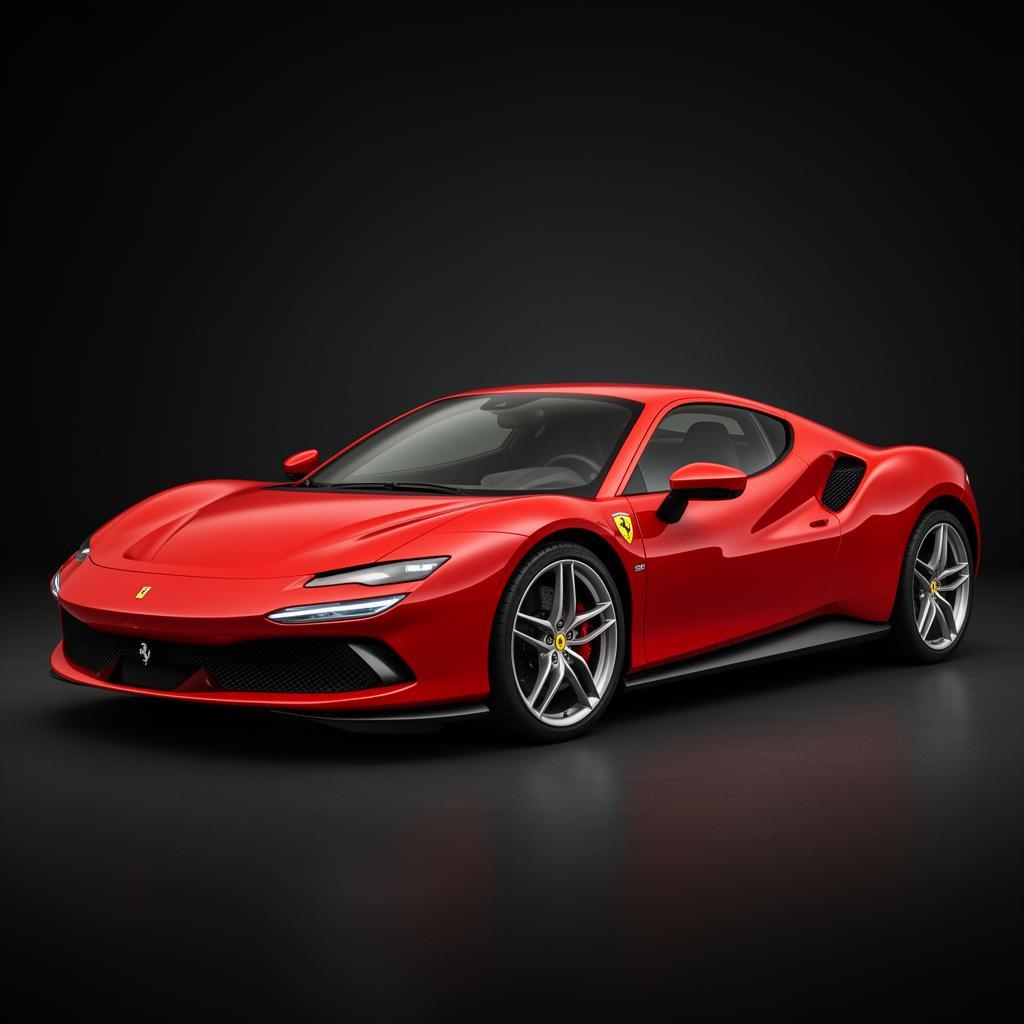
Reference 1: A red luxury sports car against a dark studio background.
Reference 2: A rain-soaked Tokyo street illuminated by colorful neon signs.
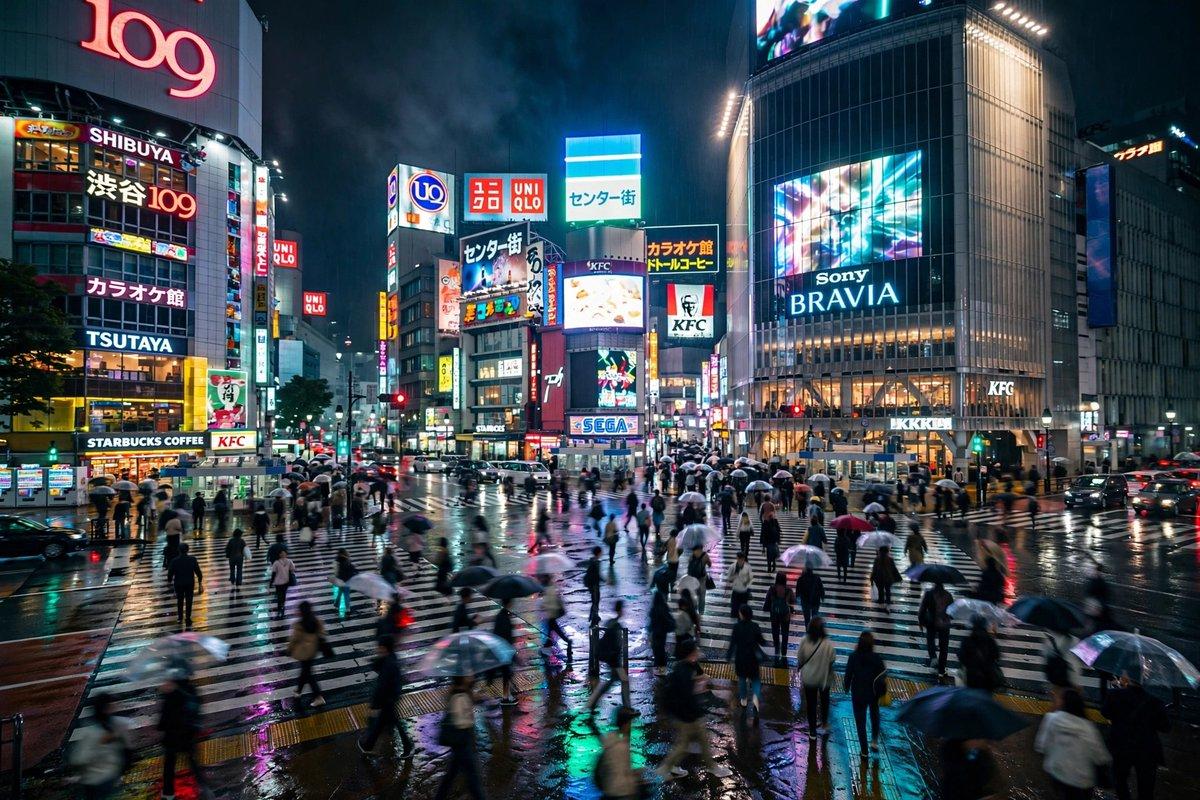
The goal was to combine the car design from the first image with the environment and lighting from the second.
Actual Test Prompt
Create a cinematic commercial video featuring the exact red sports car from the first reference image, driving slowly through the rainy Tokyo street shown in the second reference image. Preserve the car’s original design, red paint, headlights, and wheels. Match the neon lighting, wet pavement, and urban atmosphere of the second reference. Smooth tracking camera movement, realistic reflections, stable vehicle geometry, no scene cuts.
Test Settings
Setting | Value |
|---|---|
Model | Wan 3.0 |
Mode | Mixed References |
Reference images | 2 |
Resolution | 480p |
Duration | 5 seconds |
Aspect ratio | 16:9 |
Wan 3.0 — Actual Video Output
What we observed:
Product appearance: The generated video retained the major characteristics of the red sports car, including its body color, low-profile silhouette, headlights, and wheels.
Scene integration: Wan 3.0 successfully placed the car in a neon-lit Tokyo street environment. Wet pavement, illuminated buildings, and colorful reflections were visible in the generated scene.
Motion adherence: Although the prompt requested that the car drive slowly through the street, the vehicle appeared largely stationary in the inspected frames.
This was an important finding. The model successfully combined the visual references but did not clearly execute the requested driving motion.
Test 3 Verdict: Successful reference integration, incomplete motion adherence.
Wan 3.0 demonstrated useful multi-image reference integration in this test.
However, combining visual elements successfully does not guarantee that every motion instruction will be followed.
We did not perform an equivalent Seedance 2.5 reference-video test, so this result should not be interpreted as a direct victory over Seedance 2.5.
Which One Fits Your Shot?
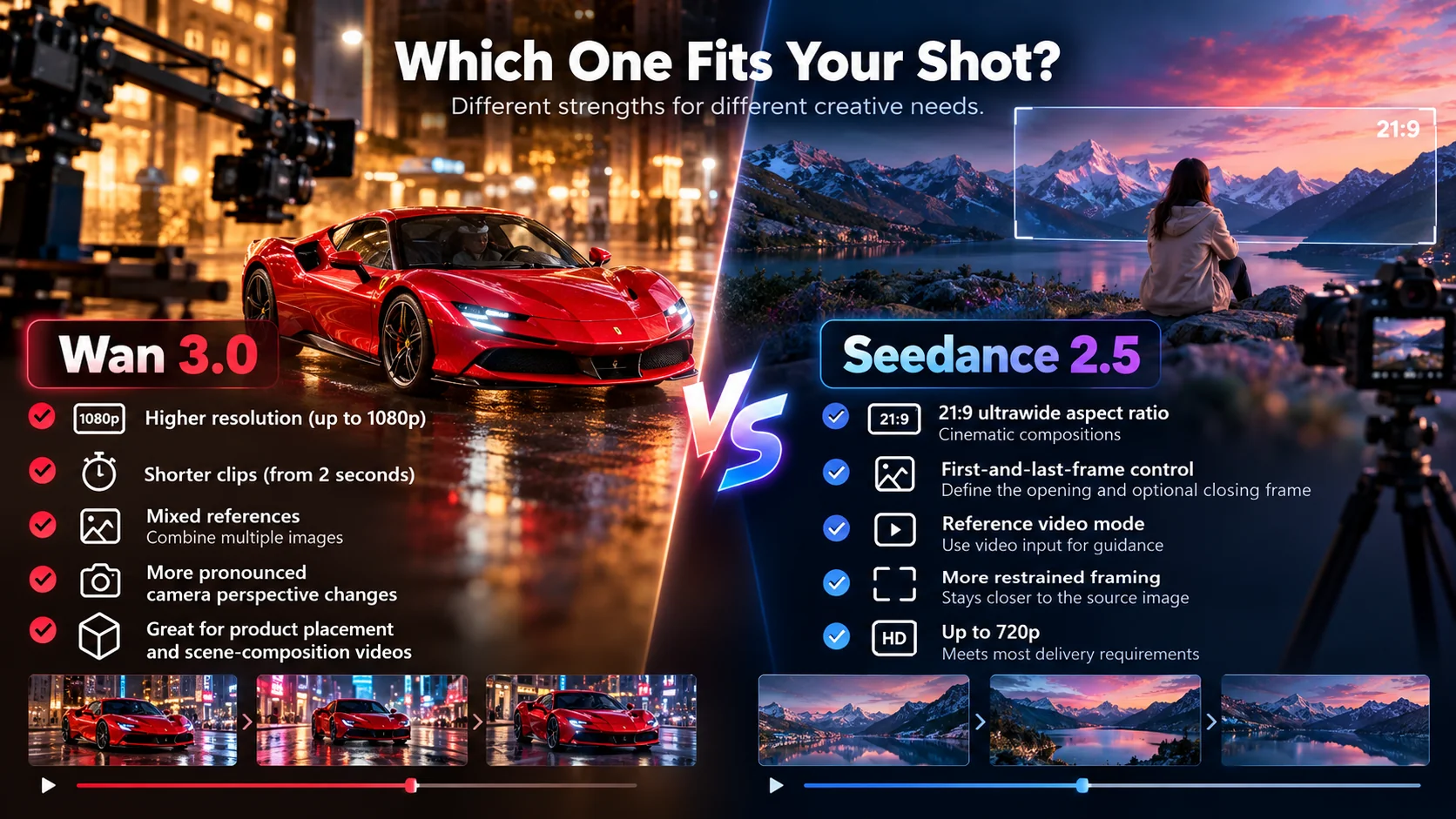
Based on the available settings and our hands-on results, the choice often comes down to a specific production requirement.
Choose Wan 3.0 when:
The deliverable needs the available 1080p output option.
The clip needs to be shorter than four seconds.
You want to combine a small number of visual references.
You want to experiment with more pronounced camera perspective changes.
You are creating product placement or scene-composition videos.
Choose Seedance 2.5 when:
You need a defined opening frame and optional closing frame.
You want to generate a 21:9 widescreen video.
You prefer the more restrained framing observed in our sports car test.
Your workflow uses its supported video-reference mode.
The available 720p resolution ceiling meets your delivery requirements.
For many real briefs, the choice comes down to one constraint — resolution, input mode, or reference material — rather than an overall better model.
Since both models are available in the same ZMS AI workspace, creators can switch between them without moving to another video generation platform.
How Prompting Differs
The core prompt structure — subject, setting, action over time, camera movement, and elements that must remain stable — works for both models.
However, the best prompting approach depends on the selected input mode.
On Wan 3.0, when using Image-to-Video, describe the intended camera movement clearly and specify which parts of the source image must remain unchanged.
For Mixed References, assign a specific role to each reference image.
For example:
Use reference image one for the exact product appearance and reference image two for the environment, lighting, and atmosphere.
Our third test showed why this matters. Wan 3.0 combined the car and Tokyo street references successfully, but the requested driving motion was not clearly achieved.
This suggests that complex movement instructions may require additional refinement or regeneration.
On Seedance 2.5, the first-and-last-frame mode benefits from a prompt describing the transition between the supplied frames.
Instead of describing only the start and end images, explain what happens between them — such as a slow push-in, a turn, or a gradual reveal.
When working from a single opening image, it is also useful to describe which visual elements should remain consistent.
In our sports car test, Seedance 2.5 maintained framing relatively close to the source image, illustrating one possible result of this workflow.
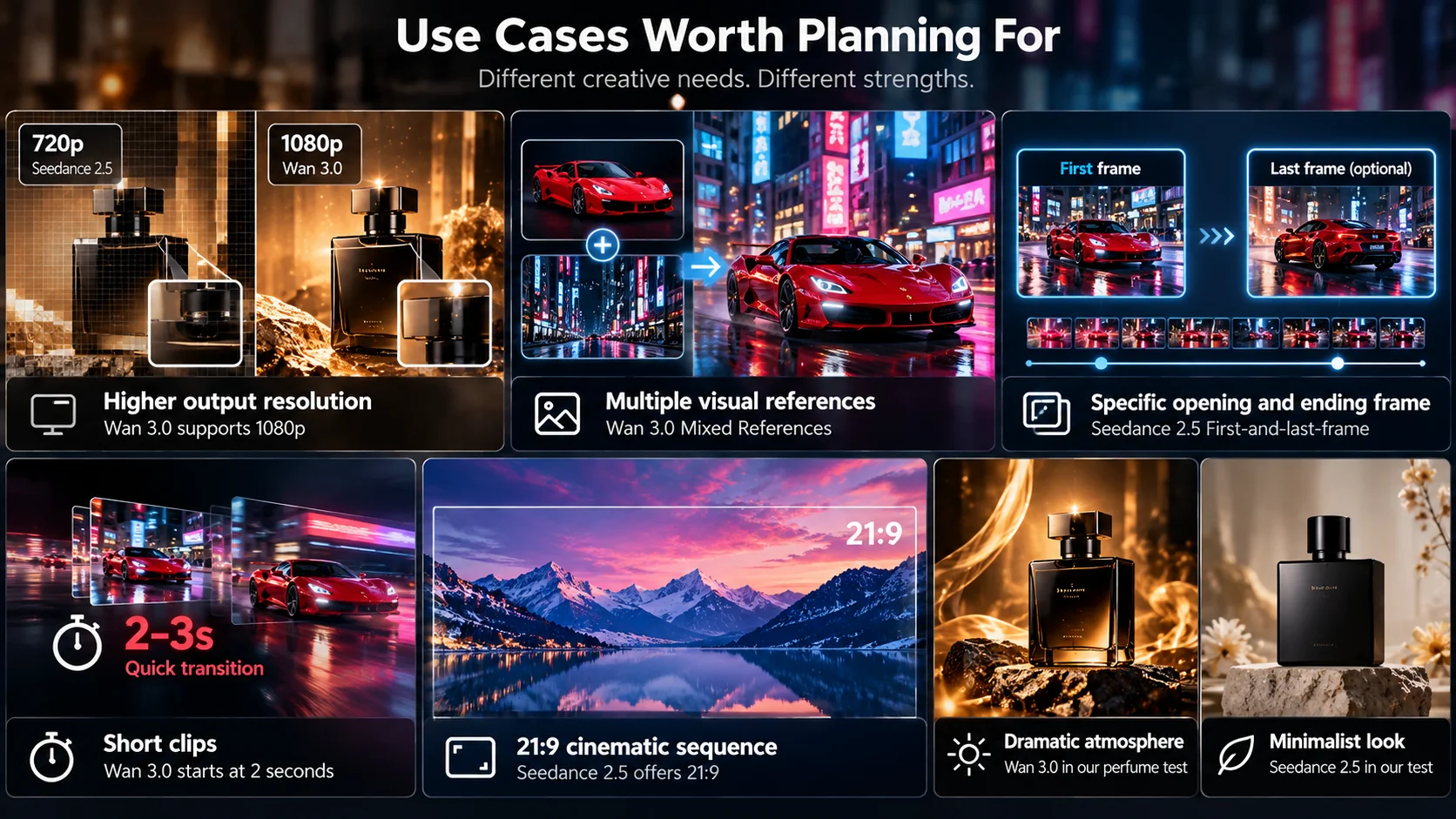
Use Cases Worth Planning For
A product shot that needs higher output resolution. Wan 3.0’s 1080p option provides more output pixels than Seedance 2.5’s 720p ceiling in the compared workspace. Actual detail quality still needs to be evaluated at the selected resolution.
A campaign using multiple visual references. Wan 3.0’s Mixed References mode can combine supporting visual inputs. Our test successfully combined a sports car reference with a separate Tokyo street environment.
A clip that needs a specific opening and ending frame. Seedance 2.5’s first-and-last-frame mode is designed for this workflow.
A quick two- or three-second transition. Wan 3.0’s lower duration minimum is useful for short visual beats.
A cinematic 21:9 sequence for a landing-page hero. Seedance 2.5 offers this aspect ratio directly.
A product advertisement with a dramatic atmosphere. In our perfume test, Wan 3.0 produced stronger golden lighting and a more atmospheric presentation.
A product advertisement with a minimalist look. In the observed Seedance 2.5 perfume output, the composition was cleaner and more restrained.
These last two examples describe the specific outputs we tested rather than guaranteed stylistic behavior.
FAQ
Are both Wan 3.0 and Seedance 2.5 available on ZMS AI?
Yes. Both models were available in the AI Video Generator workspace during our testing.
Which one has the higher resolution?
Wan 3.0 offers up to 1080p in the compared workspace settings. Seedance 2.5 offers up to 720p.
Which model performed better in the real tests?
Neither model was consistently superior. Wan 3.0 showed more pronounced camera movement in our sports car test, while Seedance 2.5 maintained framing closer to the original image.
Which one supports multiple reference images?
Wan 3.0 provides Mixed References. We tested it using two images and observed successful visual integration.
Seedance 2.5’s separate Reference Video mode did not accept those still-image inputs in our tested interface.
Can either model take a defined first and last frame?
Seedance 2.5 provides a dedicated first-and-last-frame mode with a required opening image and an optional ending image.
Wan 3.0’s Image-to-Video mode uses a starting image without a dedicated last-frame input in the tested workspace.
Is audio generation available on both?
Yes. Both models provide audio-generation controls. Check the current toggle state before generating.
Can both models generate five-second videos?
Yes. We generated approximately five-second image-based videos with both models.
Does Wan 3.0 always generate better camera movement?
No. Wan 3.0 produced more noticeable perspective changes in our sports car test, but one output is not enough to establish consistent superiority.
Is Wan 3.0 better for reference-based video generation?
Our Mixed References test showed successful visual integration of two images, but incomplete adherence to the requested driving motion.
We did not conduct an equivalent Seedance 2.5 reference-video test, so there is no direct winner for this category.
Try Both on ZMS AI
Wan 3.0 and Seedance 2.5 offer different strengths, and the best way to choose is to test the model that matches your specific video task.
Our hands-on results showed that Wan 3.0 can produce noticeable camera perspective changes and combine separate visual references, while Seedance 2.5 can generate a more restrained interpretation of an existing image.
Neither model was universally better across the observed outputs.
Open the AI Video Generator on ZMS AI and switch between Wan 3.0 and Seedance 2.5 to see which workflow best matches your project.
For a complete walkthrough of the controls, see the Wan 3.0 guide or the Seedance 2.5 guide.